

Inline editing in listings
Status: ✅ Implemented — class-level @InlineEditing
Intent
Section titled “Intent”Let users fix values in a collection — stock counts, prices, flags — right where they see them: in the listing grid, without opening the detail form.
Problem
Section titled “Problem”The default CRUD flow persists through the detail form: click the row, edit one field, save, go back. For quick tabular corrections across many rows that round-trip dominates the task. Editable table solves this for form collections (@InlineEditing on a List field); listings backed by a repository needed the same directness.
Solution
Section titled “Solution”Annotate the AutoCrud class itself with @InlineEditing. Every data column becomes an editable input in place (a field marked @ReadOnly stays display-only), and each committed cell persists its row immediately through CrudStore.save(...) — no explicit save button.
@UI("/stock")@Title("Stock (edit in place)")@InlineEditingpublic class StockCrud extends AutoCrud<StockItem> {
    @Override    public GridLayout gridLayout() { return GridLayout.table; }   // cell editing lives in the table layout
    @Override    public CrudStore<StockItem> store() { /* … */ }}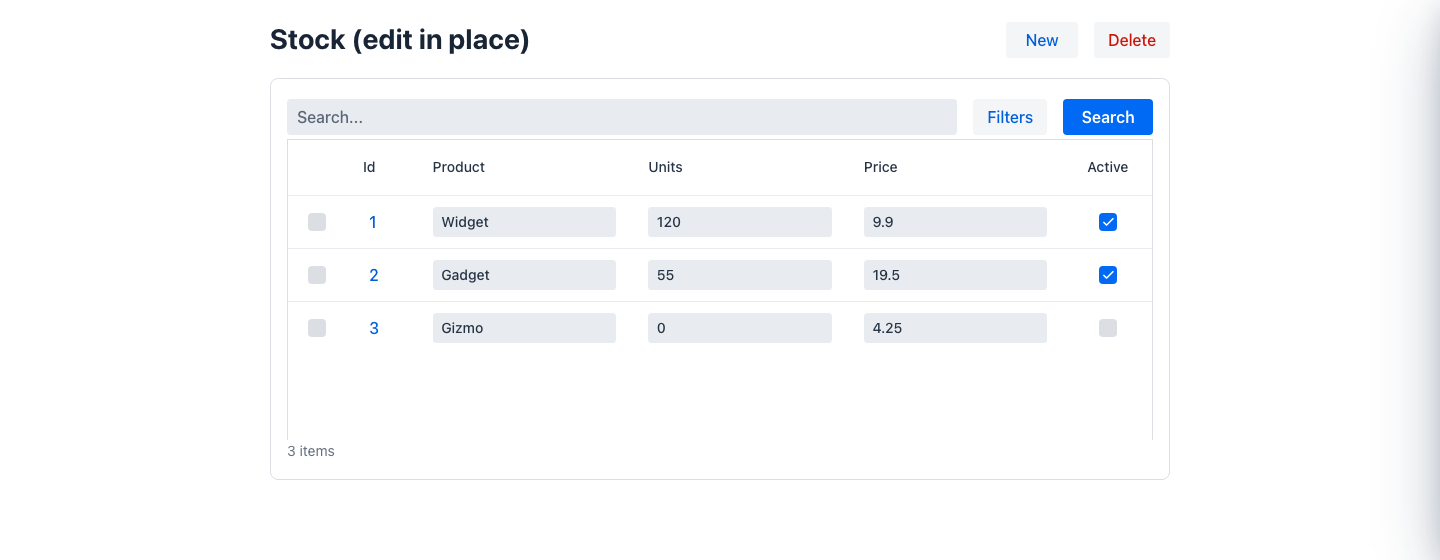
The editor per column is derived from the field’s real Java type — the same mapping as editable tables: text, integer/number, checkbox, enum combo, date/time pickers.
Under the hood each commit dispatches the crud’s update-row action with the edited row; AutoCrud rebuilds the entity from it and calls store().save(entity). Override updateRow(Map, HttpRequest) to customise persistence (partial updates, optimistic locking, auditing).
When to use it
Section titled “When to use it”Use it for flat, operational collections where values change often and rows are simple. Keep the default detail-form flow when rows have nested data, cross-field validation, or when edits must be reviewed before persisting.