

App-wide shortcuts and quick launch
Status: ✅ Implemented · @Experimental
Intent
Section titled “Intent”Keyboard-heavy users — a front desk, a call centre, a warehouse — move between a handful of screens all day. They expect F9 for reservations everywhere, a way to see which keys exist, and the habit of back-office suites: type a short code (“RES”) and go. A screen’s @Action(shortcut) only lives on that screen; these belong to the app.
Solution
Section titled “Solution”Declare them on the app class:
@UI("")@App@AppShortcut(key = "f9", route = "/reservations", label = "Reservations", code = "RES")@AppShortcut(key = "f8", route = "/end-of-day", label = "End of day", code = "EOD")@AppShortcut(key = "alt+y", actionId = "syncNow", label = "Sync", code = "SYNC")public class Shell {
public Message syncNow() { … } // an action shortcut runs on the app, whatever the screen}| Attribute | Meaning |
|---|---|
key | the key, in the @Action(shortcut) syntax: f9, ctrl+alt+r, alt+g |
route | where it goes, relative to the app (made absolute like a menu route) |
actionId | or: an app-level action (a public method of the app class) |
label | how it is listed; blank = the route’s last segment humanized |
code | the quick-launch code; blank = none |
An entry with neither a key nor a code, or with nowhere to go, is dropped.
The ”?” list
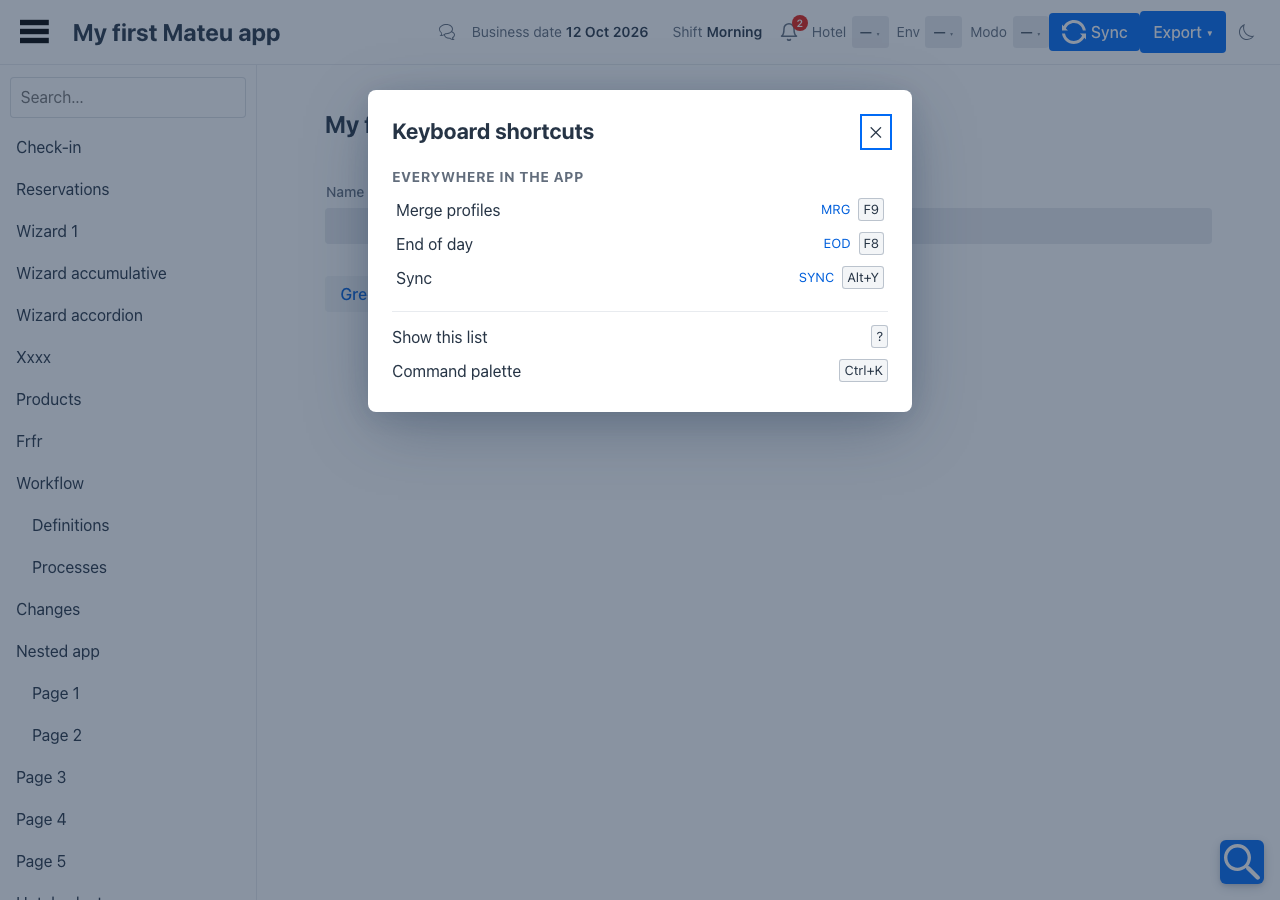
Section titled “The ”?” list”? (when the focus is not in a text field) opens Keyboard shortcuts: the app’s shortcuts with their codes, the shortcuts of the screen on show — its @Action(shortcut) and @Tab(shortcut), read when the list opens so it is always the current screen’s — and the shell’s own keys. Picking an app shortcut runs it.
Quick launch
Section titled “Quick launch”Typing a code in the command palette (⌘K / Ctrl+K) lists the shortcut first; Enter goes there. With @App(commandCenter = true) it is the command center’s search; otherwise the shell’s ⌘K palette. Codes match case-insensitively; a code or label that starts with what was typed is listed too.
In YAML and in code
Section titled “In YAML and in code”A data-authored shell declares the same entries (AppShortcutEntry in code, AppShell.builder().shortcut(…)):
type: AppShellshortcuts: - key: f9 route: guests label: Guests code: GSTWhich shortcut wins
Section titled “Which shortcut wins”The screen’s. A screen’s own @Action(shortcut) / @Tab(shortcut) handles the key first and the app shortcut stands down — so a screen that binds F9 to its own action keeps it, and F9 means “reservations” everywhere else. On the web the screen listens on document and the app on window, which the event reaches later, and the app ignores a key the screen has already taken.
Two more rules:
- A plain letter (
g) never fires while the user is typing in a field; function keys and combinations with Ctrl / Alt / Meta do. - With access keys on, Alt + letter belongs to the access keys; give app shortcuts function keys or Ctrl combinations instead.
Where it works
Section titled “Where it works”- Vaadin — every screen of the app; the
?list (mateu-shortcuts-help); quick launch in the ⌘K palette and in the command center. - Redwood (Oracle VB) — the same keys (
poc/keys.mjs), the?list as anoj-dialog, quick launch in the Ask palette. - IntelliJ plugin — the keys on every Mateu view (a key the screen uses is left to the screen), a Keyboard shortcuts dialog, a “Go to code…” field.
- React Native — no keyboard: quick launch is a Code field in the drawer, with the codes listed under it.
- Also from the C# (
[AppShortcut(Key = "f9", Route = "/reservations", Code = "RES")]) and Python (@app_shortcut(key="f9", route="/reservations", code="RES")) backends.
Demo: demo-admin-panel → F9 (merge), F8 (end of day), Alt+Y (sync), ?, and MRG / EOD in the command center; /e2-demo shows the ⌘K palette (HOME).
Related
Section titled “Related”- Keyboard shortcuts — a screen’s own shortcuts and access keys
- Command center