

Payment picker
Status: ✅ Implemented
Intent
Section titled “Intent”Close a payment in one row: pick the method (card, cash, points…), see the relevant context (the preauthorized amount, the balance) and confirm — without a detour through a separate payment screen.
Solution
Section titled “Solution”Use the PaymentPicker component: an actionId, a list of PaymentMethods rendered as segmented outline buttons, a selected method id seeding the client-side selection, an optional context chip (contextLabel over contextValue, success-tinted) and a primary confirmLabel button.
@Section("Cobro")Component payment = PaymentPicker.builder() .actionId("confirmPayment") .methods(List.of( PaymentMethod.builder().id("card").label("Tarjeta").build(), PaymentMethod.builder().id("cash").label("Efectivo").build(), PaymentMethod.builder().id("points").label("Puntos").build())) .selected("card") .contextLabel("PREAUTORIZADO").contextValue("€ 1.800,00") .confirmLabel("Confirmar — € 1.710,50") .build();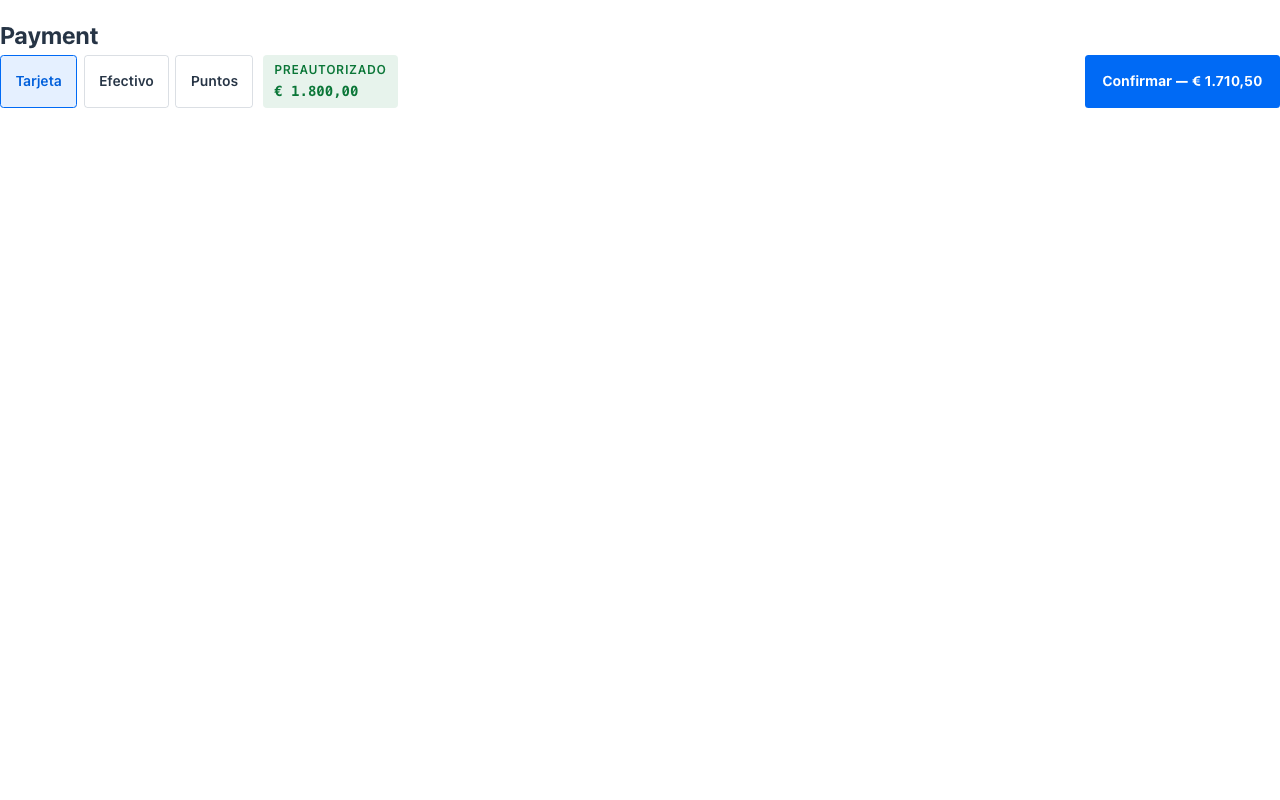
Switching methods is client-side state; only the confirm button talks to the server — it dispatches the standard action-requested event with the component’s actionId and parameters { "_method": selectedId }, so the @Action method reads which method was chosen.
When to use it
Section titled “When to use it”Use a PaymentPicker as the final step of a monetary flow, directly under the Ledger it settles — check-out, POS charge, deposit collection. If charges are still accruing, show the balance with a Meter instead of charging yet. See it composed into a whole screen in Front-office screens. Demo: /payment-picker-demo.