

Offer card
Status: ✅ Implemented
Intent
Section titled “Intent”Present an upsell the way a salesperson would — the upgrade next to what the customer already has, with a photo, the differentiating features and the price delta — so accepting it is one click at the moment of highest relevance (e.g. room assignment during check-in).
Solution
Section titled “Solution”Use the OfferCard component: an optional image header (16:9 cover, skipped when absent), a floating tag chip, title + subtitle, features rendered as outline chips, and a footer. A non-current card shows a full-width primary button (actionLabel, with priceLabel right-aligned inside) and an accent border; the current/assigned variant (current(true)) shows a muted currentLabel instead of any CTA.
@Section("Upgrade")Component upgrade = OfferCard.builder()        .tag("UPGRADE DISPONIBLE")        .title("Master Oceanfront Suite").subtitle("Planta 14 · Primera línea")        .image("https://example.com/suite.jpg")        .features(List.of("68 m²", "Vista mar frontal", "Terraza + jacuzzi", "Sofá lounge"))        .priceLabel("+ € 65 / noche")        .actionLabel("Mejorar a esta habitación").actionId("upgrade")        .build();
Component assigned = OfferCard.builder()        .tag("HABITACIÓN ASIGNADA")        .title("Ocean Suite").subtitle("Planta 12")        .features(List.of("45 m²", "Vista mar lateral", "Balcón"))        .current(true).currentLabel("✓ Incluida en tu reserva")        .build();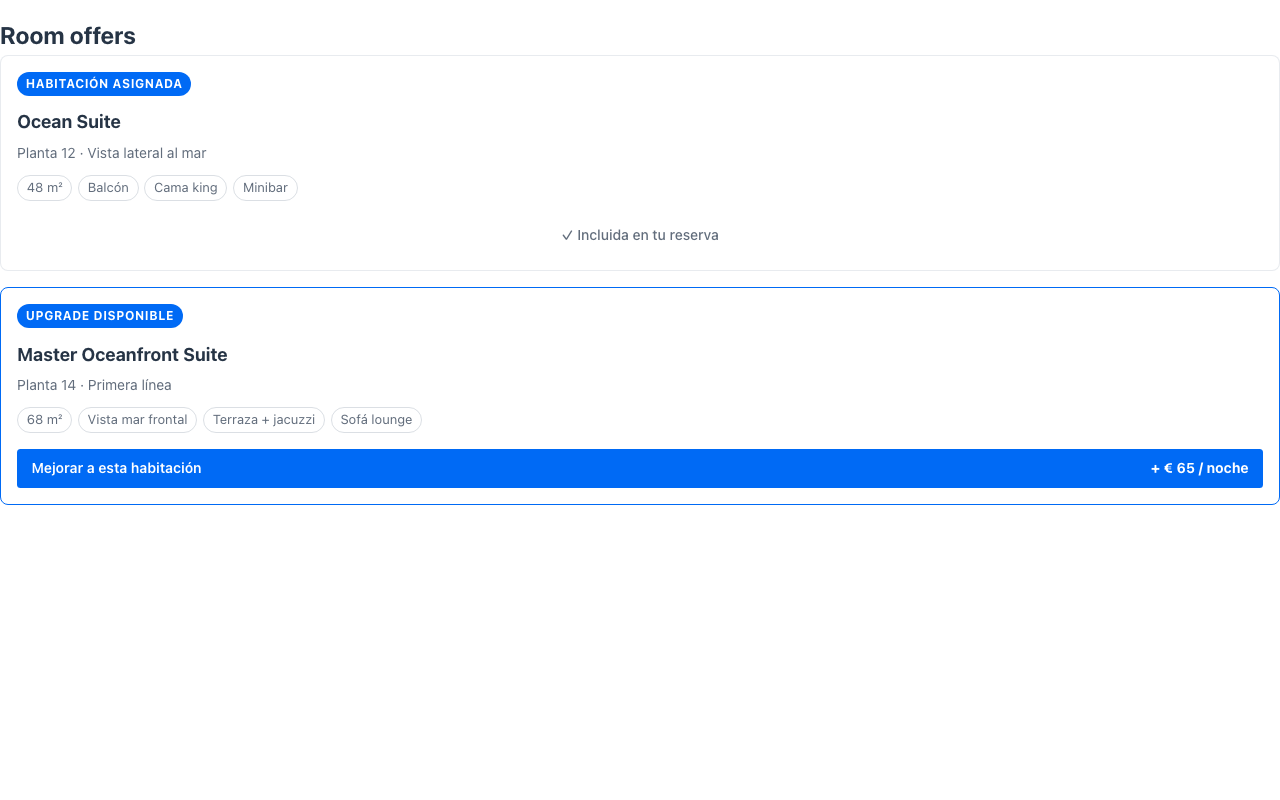
The CTA dispatches the standard action-requested event with the card’s actionId and no parameters — one card, one offer, one action. Current cards dispatch nothing.
Toggle offers
Section titled “Toggle offers”When the offer can be added and removed (an optional upgrade), drive the CTA as a toggle from the server state: set added(boolean) and addedLabel("✓ Upgrade añadido") when building the card — while added is true the button turns success green and shows addedLabel (the priceLabel stays right-aligned); clicking dispatches the same actionId again, so the action just flips its flag and re-renders:
case "upgrade" -> { habitacion.setUpgradeAnadido(!habitacion.isUpgradeAnadido()); return this; // the card re-renders with the flipped added state}When to use it
Section titled “When to use it”Use an OfferCard for a single, contextual offer — typically a current-vs-upgrade pair side by side. To compare several plans/tiers in columns use a Pricing table; for many small priced extras with a running total use an Add-on picker. See it composed into a whole screen in Front-office screens. Demo: /offer-card-demo.