

Ledger
Status: ✅ Implemented
Intent
Section titled “Intent”Show the money breakdown behind a total — a hotel folio at check-out, an invoice preview, an order summary — as clean concept/amount lines the customer can verify at a glance, with discounts and included items visually distinct.
Solution
Section titled “Solution”Use the Ledger component: a currency symbol, a totalLabel, a list of LedgerLines and an optional total. Each line has a concept and either an amount (right-aligned monospace, formatted € 1.540,00; negative amounts render error-red) or included(true) with an optional includedLabel (default “Included”) shown muted instead of a figure. When total is absent the client computes the sum of the non-included amounts.
@Section("Folio")Component folio = Ledger.builder() .currency("€").totalLabel("Total") .lines(List.of( LedgerLine.builder().concept("Alojamiento x7 noches").amount(1540.0).build(), LedgerLine.builder().concept("All Inclusive Package") .included(true).includedLabel("Incluido").build(), LedgerLine.builder().concept("Descuento Platinum -10%").amount(-154.0).build())) .total(1710.5) .build();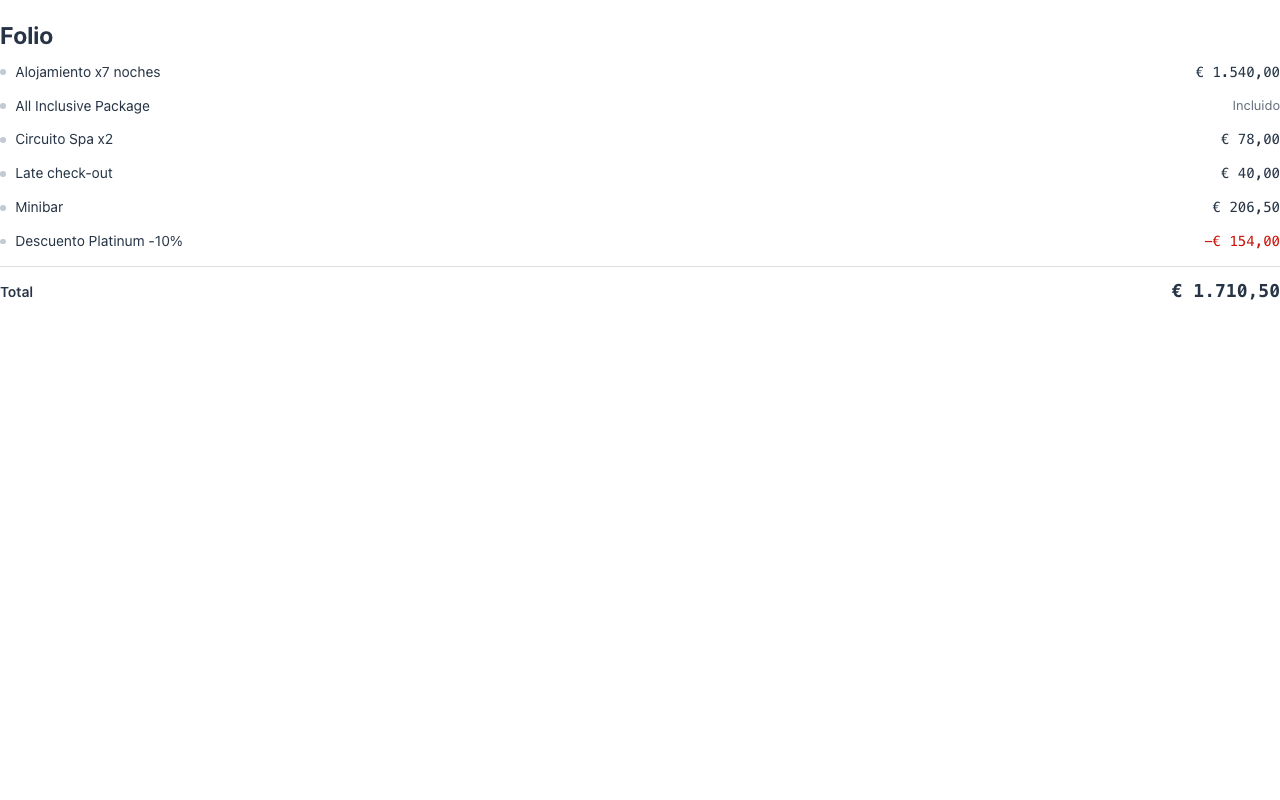
All formatting (thousands separator, two decimals, currency symbol) happens client-side like the money stereotype. The component is display-only — it dispatches no actions; pair it with a Payment picker for the charge itself.
When to use it
Section titled “When to use it”Use a Ledger wherever the user must verify a monetary breakdown before committing — check-out, order confirmation, refund review. For plan/tier comparison use a Pricing table; to track the balance against a limit while charges accrue use a Meter. See it composed into a whole screen in Front-office screens. Demo: /ledger-demo.