

Status list
Status: ✅ Implemented
Intent
Section titled “Intent”Show a set of heterogeneous items that each carry a state or need a one-off action — open incidents on a room, the side-effects checklist of a confirmation (“key will be encoded”, “police report sent automatically”), pending verifications — without building a full CRUD for them.
Solution
Section titled “Solution”Use the StatusList component: one StatusItem per row, each with an icon (emoji) — or an avatar (short text like a person’s initials, rendered inside a circular avatar; takes precedence over the icon) — a title, a muted description, and on the right either a status chip (statusColor from the badge palette: normal, success, warning, error, contrast) and/or a small button (actionLabel + actionId). Set compact(true) on the list to tighten the row padding for dense screens (e.g. a guests-in-the-room list on a check-in confirmation), and frameless(true) to keep the divider lines between rows but drop the outer border — for a list already framed by its host (typically inside a @Section card, where the extra frame is redundant).
@Section("Estado")Component checklist = StatusList.builder() .items(List.of( StatusItem.builder().id("ac").icon("🌡") .title("Aire acondicionado con ruido") .description("Habitación 901 · Reportado 28 Apr · Mantenimiento avisado") .status("En curso").statusColor("normal").build(), StatusItem.builder().id("key").icon("🔑") .title("Grabar llave / pulsera") .description("Complemento de llave digital") .actionLabel("Grabar").actionId("encodeKey").build(), StatusItem.builder().id("ses").icon("✓") .title("Parte viajeros (SES)") .description("Se enviará automáticamente al confirmar el check-in") .status("Automático").statusColor("success").build())) .build();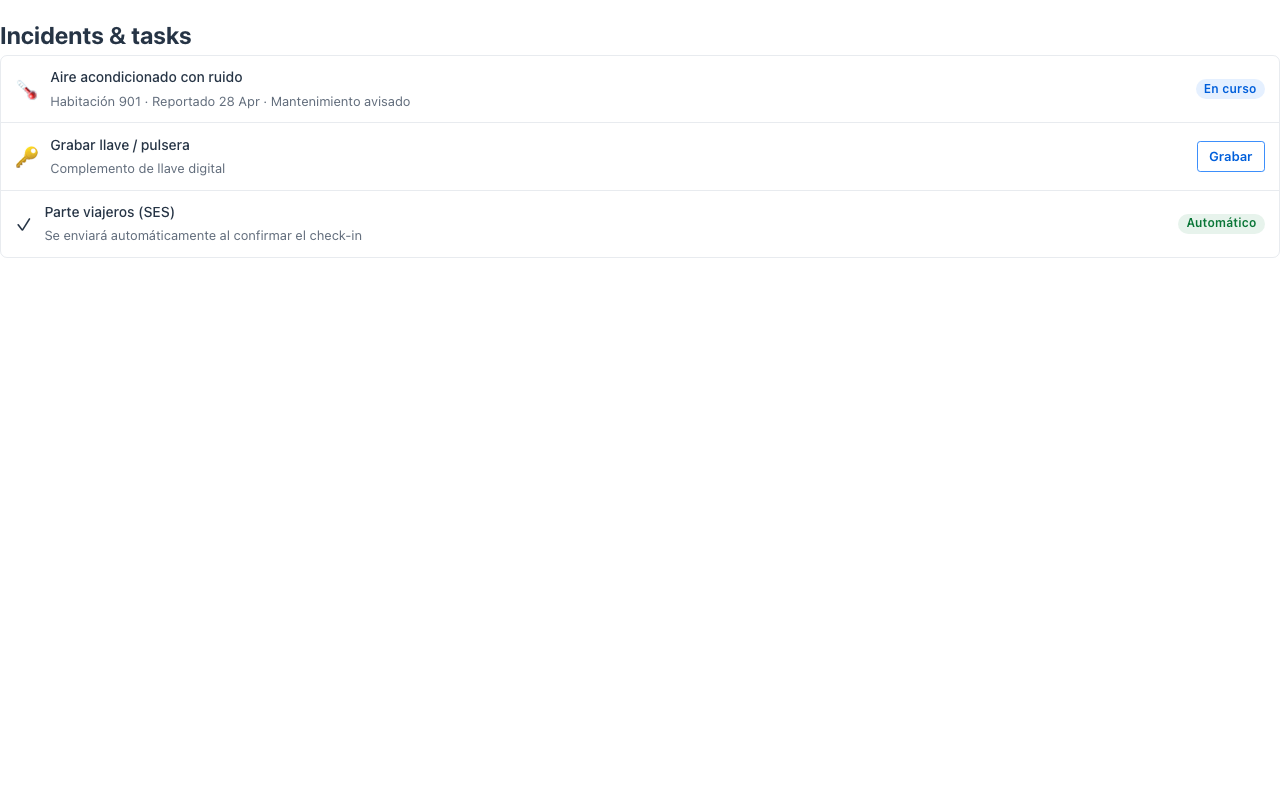
An item’s button dispatches the standard action-requested event with the item’s actionId and parameters { "_item": id }, so one @Action method can serve several rows by reading _item. Rows without a button are display-only.
When to use it
Section titled “When to use it”Use a StatusList for stateful checklists and incident lists — things that are about the current entity but not a collection to browse. To narrate events in chronological order use a Timeline; for N-of-M identical subtasks use Task progress. See it composed into a whole screen in Front-office screens. Demo: /status-list-demo.
Related
Section titled “Related”BulletedList— the lightweight sibling: a plain<ul>of text items, for read-only enumerations (preferences, highlights) without the row chrome. Also available declaratively:@BulletedListon aList<String>field.- Notice — a compact inline banner for a single highlighted line.