

First app
This tutorial is a slower introduction than the quickstart.
If you want to build something real first, go to the Quickstart.
1. Create a UI class
Section titled “1. Create a UI class”@UI("")@Title("My first Mateu app")@Style(StyleConstants.CONTAINER)public class Home {}This defines a screen at the root path (/) with a title and a container-style layout.
2. Add state
Section titled “2. Add state”String name;Mateu uses fields as UI state.
This automatically creates a text input field in the UI.
3. Add validation
Section titled “3. Add validation”@NotEmptyString name;Validation annotations are reflected directly in the UI.
Now the field is required.
4. Add an action
Section titled “4. Add an action”@Buttonpublic Message greet() { return new Message("Hello " + name);}Actions define behavior.
This creates a button that:
- reads the current state (
name) - executes the method
- shows the returned message
Result
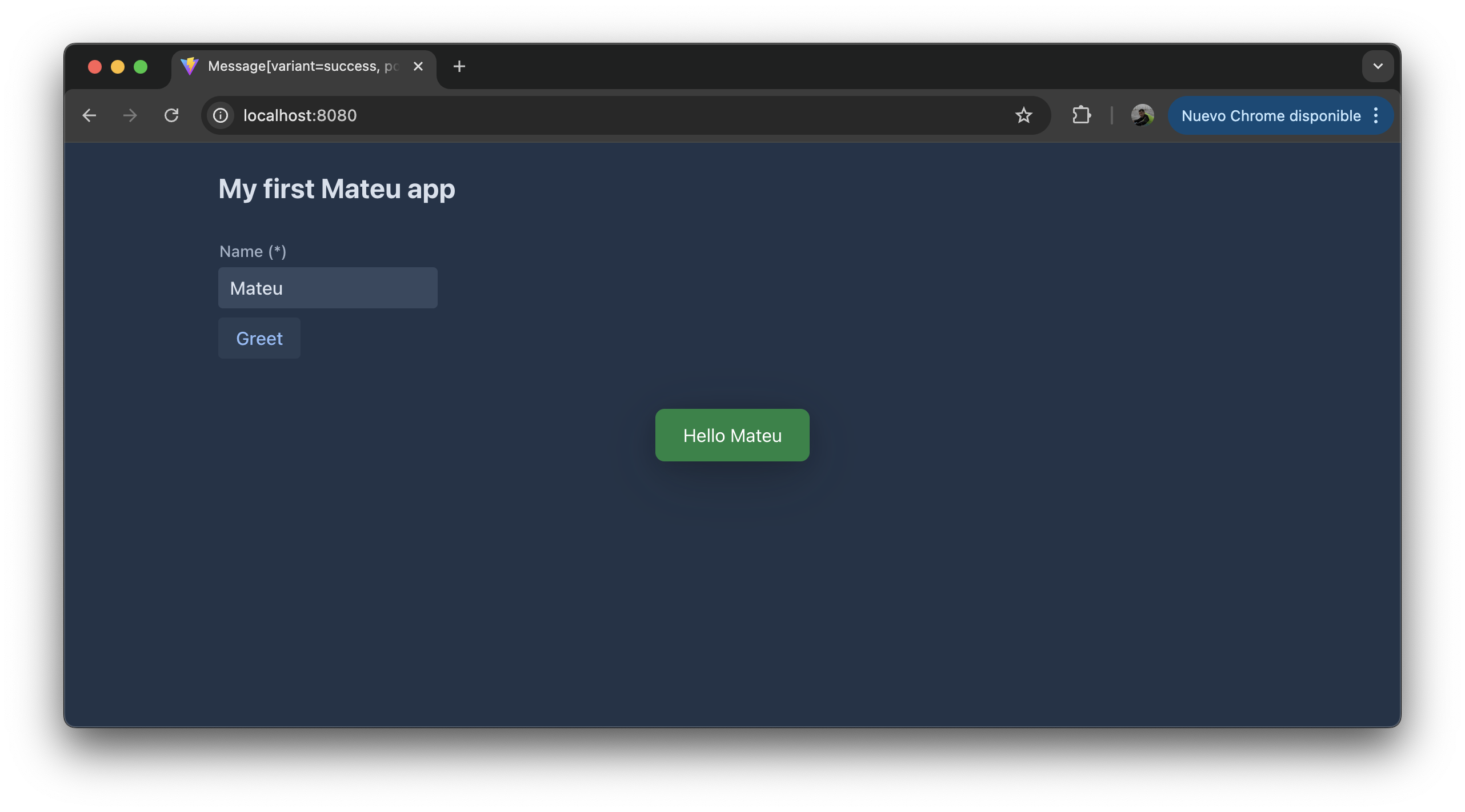
Section titled “Result”With just this code, Mateu generates a working UI:
- an input field for
name - validation from
@NotEmpty - a button bound to the
greetaction - a message shown as feedback
What just happened?
Section titled “What just happened?”You defined:
- state →
name - validation →
@NotEmpty - behavior →
greet()
Mateu turned that into a complete UI automatically.