

Resource grid
Status: ✅ Implemented
Intent
Section titled “Intent”Let the operator assign a physical resource — a room, a table, a berth, a time slot — from a grid that shows each unit’s availability state at a glance, disables the unavailable ones, and highlights the recommended pick.
Solution
Section titled “Solution”Use the ResourceGrid component: a component-level actionId, a fixed columns count (0/absent → responsive auto-fill), an optional recommendedLabel (default “Recommended”), and a list of ResourceItems. Each card shows a big title, a muted subtitle, a statusLabel chip (statusColor from the badge palette) and an optional colored note line. disabled(true) greys the card out and blocks clicks; recommended(true) adds an accent border plus a floating mini-tag; selected(true) marks the current choice.
@Section("Asignar habitación")Component rooms = ResourceGrid.builder() .actionId("pickRoom").columns(4).recommendedLabel("RECOMENDADA") .items(List.of( ResourceItem.builder().id("1201").title("1201").subtitle("Ocupada") .statusLabel("Sucia").statusColor("contrast").disabled(true).build(), ResourceItem.builder().id("1204").title("1204").subtitle("Ocean Suite") .statusLabel("Inspeccionada").statusColor("success") .recommended(true).selected(true).build(), ResourceItem.builder().id("1206").title("1206").subtitle("Libre") .statusLabel("Limpia").statusColor("success") .note("Ducha averiada").noteColor("error").build())) .build();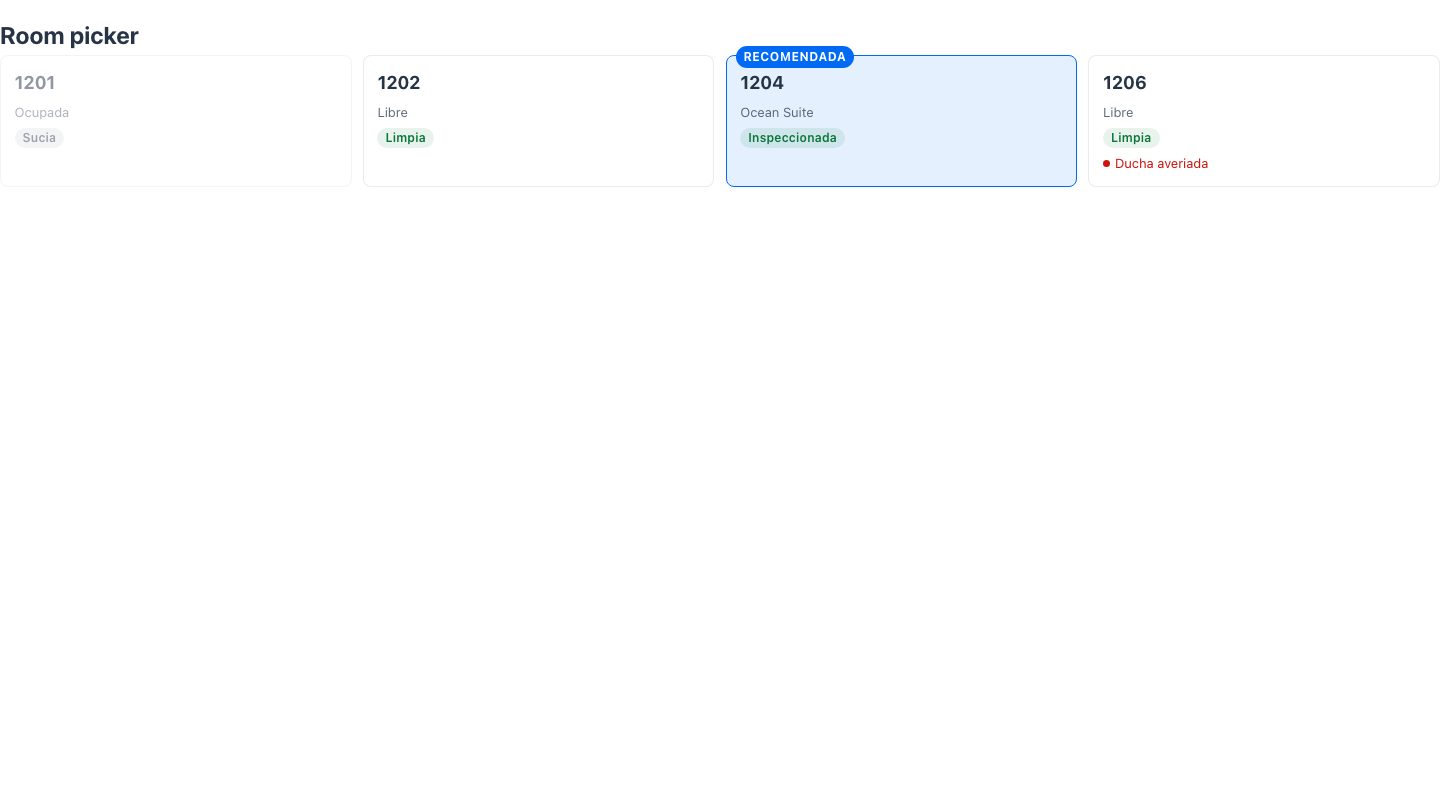
Clicking an enabled card dispatches the standard action-requested event with the component-level actionId and parameters { "_item": id }; disabled cards never dispatch.
When to use it
Section titled “When to use it”Use a ResourceGrid to pick one unit from a set of physical resources where the spatial/status overview matters — room assignment in a check-in wizard, table allocation, dock scheduling. To pick an entity from a large searchable collection use an Entity Picker; to present a paid upgrade next to the assigned unit pair it with an Offer card. See it composed into a whole screen in Front-office screens. Demo: /resource-grid-demo.