

Fluent components
Mateu supports both declarative UI and fluent components.
👉 You can mix both approaches freely.
Even inside a declarative page, you can include any component that implements:
io.mateu.uidl.fluent.ComponentMixing declarative and fluent
Section titled “Mixing declarative and fluent”A page does not have to be fully declarative or fully fluent.
You can keep the simplicity of declarative UI for state and actions, and introduce fluent components only where you need more control.
Example: declarative only
Section titled “Example: declarative only”package io.mateu.mdd.demoadminpanel.infra.in.ui;
import io.mateu.uidl.StyleConstants;import io.mateu.uidl.annotations.Button;import io.mateu.uidl.annotations.Style;import io.mateu.uidl.annotations.UI;
@UI("/simple")@Style(StyleConstants.CONTAINER)public class SimplePage {
String name;
@Button void greet() {}
}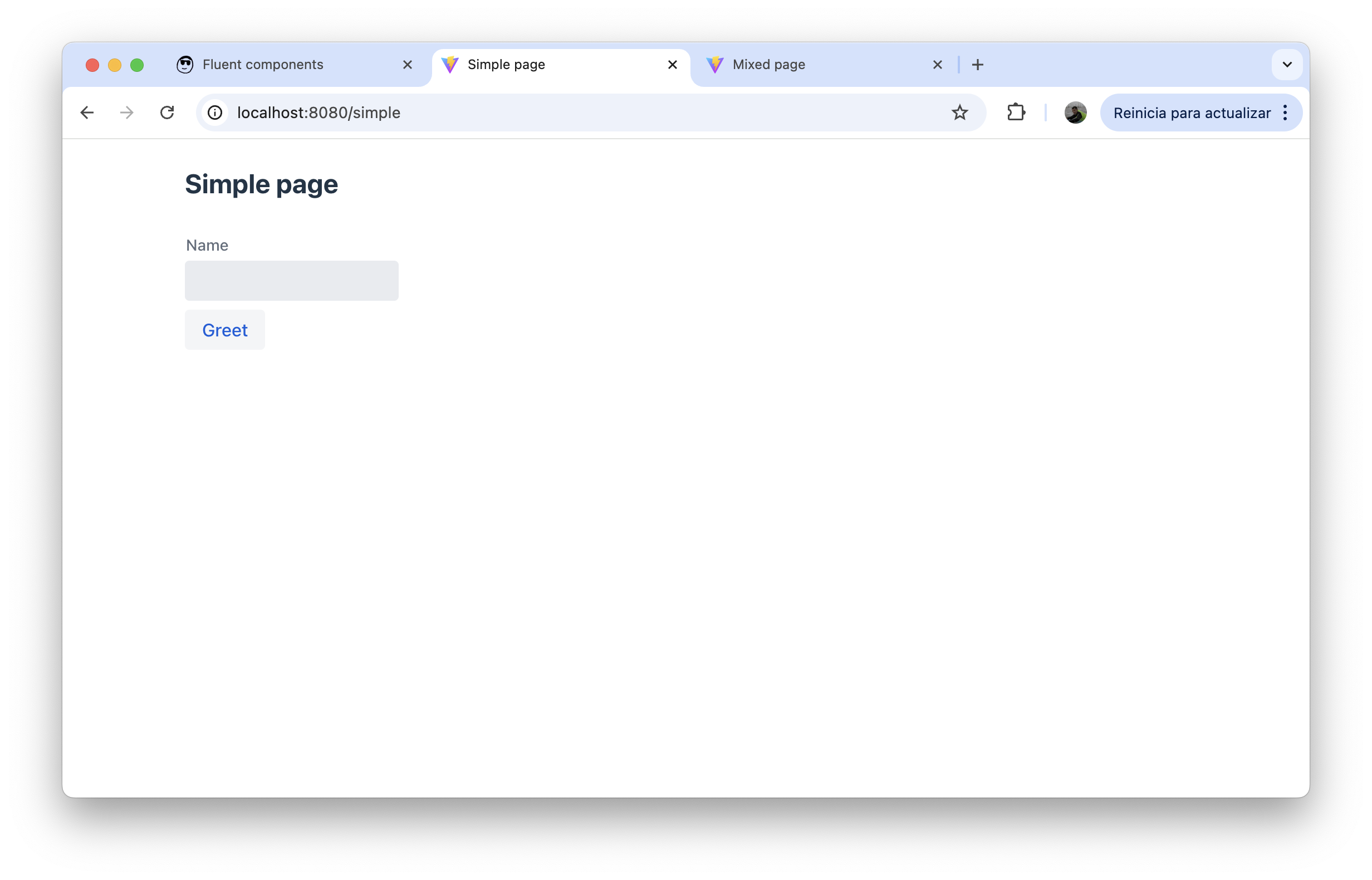
This is a fully declarative page:
namebecomes a text inputgreet()becomes a button- layout and rendering are inferred automatically
Example: declarative + fluent
Section titled “Example: declarative + fluent”package io.mateu.mdd.demoadminpanel.infra.in.ui;
import io.mateu.uidl.StyleConstants;import io.mateu.uidl.annotations.Button;import io.mateu.uidl.annotations.FormLayout;import io.mateu.uidl.annotations.Style;import io.mateu.uidl.annotations.UI;import io.mateu.uidl.data.Avatar;import io.mateu.uidl.data.Chart;import io.mateu.uidl.data.ChartData;import io.mateu.uidl.data.ChartDataset;import io.mateu.uidl.data.ChartOptions;import io.mateu.uidl.data.ChartType;import io.mateu.uidl.data.HorizontalLayout;import io.mateu.uidl.fluent.Component;
import java.util.List;
@UI("/mixed")@Style(StyleConstants.CONTAINER)@FormLayout(columns = 1)public class MixedPage {
String name;
Component stats = new HorizontalLayout( Chart.builder() .chartType(ChartType.doughnut) .chartData(ChartData.builder() .labels(List.of("Scrap", "Create release", "Deploy")) .datasets(List.of(ChartDataset.builder() .label("label 1") .data(List.of(1d, 2d, 3d)) .build())) .build()) .chartOptions(ChartOptions.builder() .maintainAspectRatio(false) .build()) .build(), new Avatar("Mateu") );
@Button void save() {}
}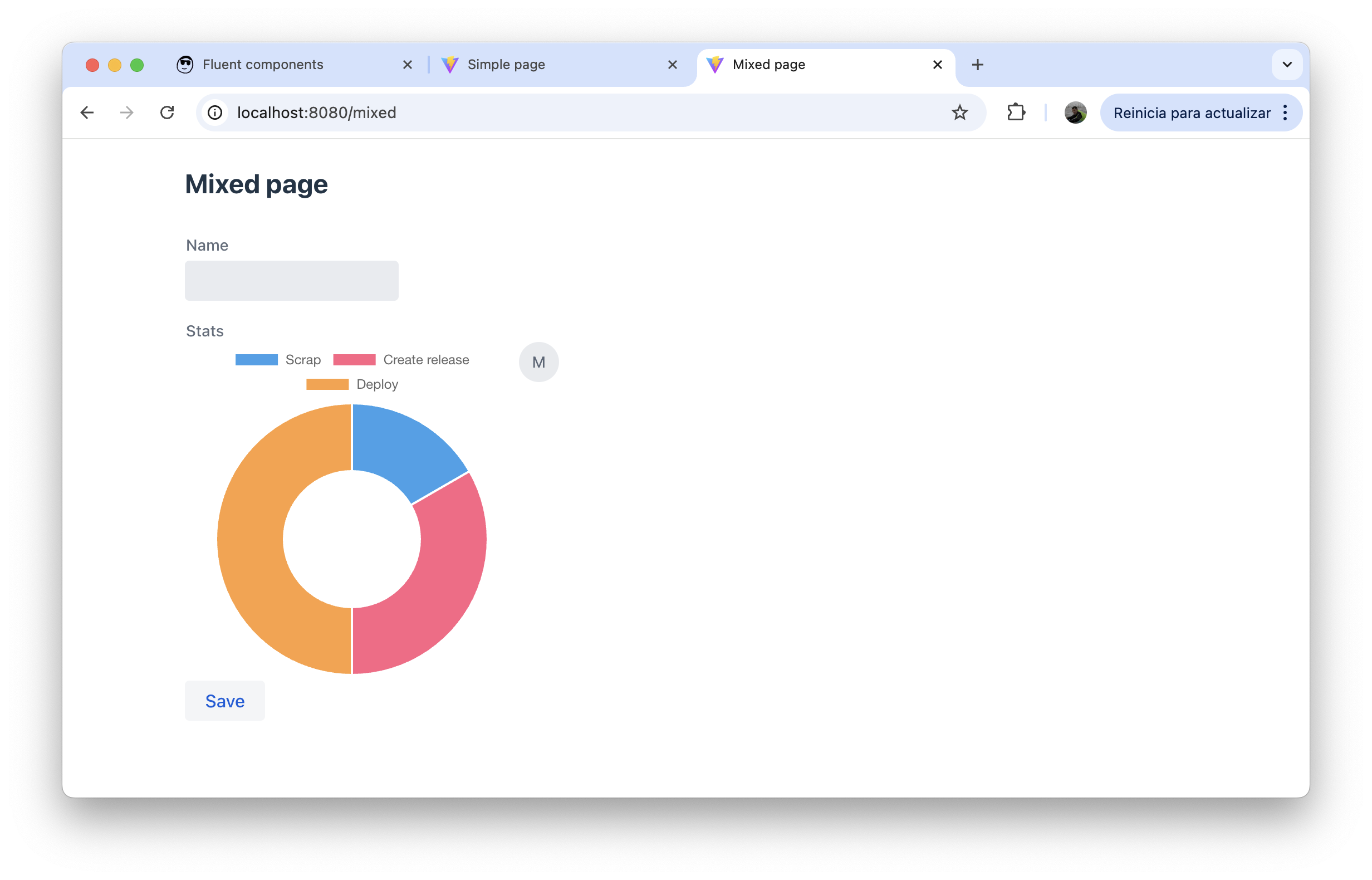
This page is still declarative, but it embeds fluent components directly.
The stats field is a fluent Component, so Mateu renders that custom UI block inside the page.
This is the key idea:
- declarative → state, actions, standard structure
- fluent → custom composition where needed
Mental model
Section titled “Mental model”- declarative → structure, state, behavior
- fluent → fine-grained UI composition
- both → same rendering engine
When to use fluent components
Section titled “When to use fluent components”Use fluent components when:
- you need custom layouts
- you want reusable UI blocks
- you need more control than annotations provide
- you want to introduce charts, cards, avatars, or other richer components inside a standard page
Stay fully declarative when:
- forms are simple
- CRUD is standard
- inferred rendering is enough
Categories of components
Section titled “Categories of components”Layout and structure
Section titled “Layout and structure”- VerticalLayout
- HorizontalLayout
- FormLayout
- SplitLayout
- AccordionLayout
- TabLayout
- BoardLayout
- CarouselLayout
- MasterDetailLayout
- Scroller
- Container
- FullWidth
Forms and inputs
Section titled “Forms and inputs”Data display
Section titled “Data display”- Grid
- TreeGrid
- VirtualList
- Directory
- Card
- Details
- KPI
- Badge
- Chart
- Markdown
- Text
- Image
- Avatar
- AvatarGroup
Navigation and app structure
Section titled “Navigation and app structure”- App
- Page
- MenuBar
- Breadcrumbs
- Anchor
- Tab
Feedback and overlays
Section titled “Feedback and overlays”Rich / specialized
Section titled “Rich / specialized”- Bpmn
- Map
- MicroFrontend
- Element
- Icon
State and infrastructure
Section titled “State and infrastructure”- State
- AppState
- Data
- AppData
- FutureComponent