

Quickstart
Build a complete admin panel in minutes.
No frontend required.
What you’ll build
Section titled “What you’ll build”- product list
- create / edit forms
- validation
- status badges
- delete confirmation
1. Add Mateu to your project
Section titled “1. Add Mateu to your project”<!-- Core framework --><dependency> <groupId>io.mateu</groupId> <artifactId>mvc-core</artifactId> <version>3.0-alpha.289</version></dependency>
<!-- Annotation processor (generates wiring at compile time) --><dependency> <groupId>io.mateu</groupId> <artifactId>annotation-processor-mvc</artifactId> <version>3.0-alpha.289</version></dependency>
<!-- Frontend web component (Vaadin + Lit) --><dependency> <groupId>io.mateu</groupId> <artifactId>vaadin-lit</artifactId> <version>3.0-alpha.289</version></dependency>2. Define your model
Section titled “2. Define your model”enum ProductStatus { Available, OutOfStock}
record Product( @NotEmpty String id, @NotEmpty String name, @NotNull ProductStatus status) implements Identifiable {}3. Create the UI
Section titled “3. Create the UI”@UI("/products")public class Products extends AutoCrud<Product> { @Override public CrudStore<Product> store() { return new ProductStore(); }}4. Run
Section titled “4. Run”mvn spring-boot:runOpen http://localhost:8080/products
Result
Section titled “Result”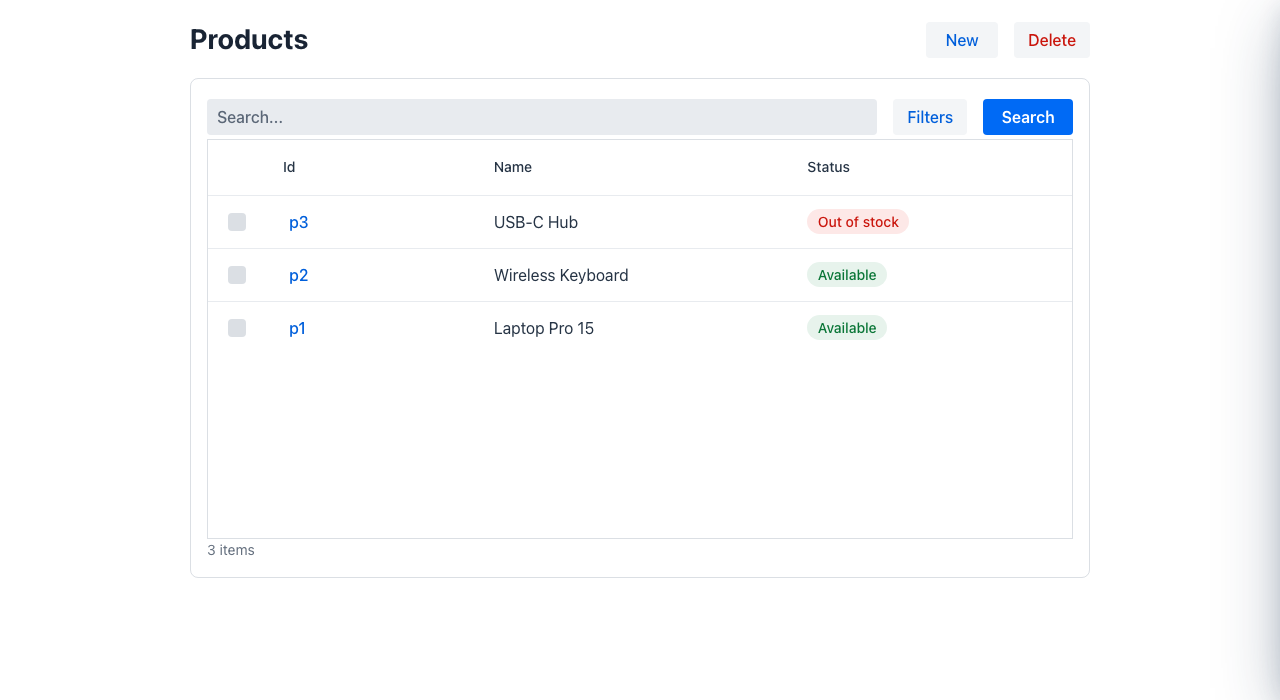
Multi-module setup
Section titled “Multi-module setup”If your @UI classes live in a separate Java library module (not in the same module as the
Spring Boot app), you also need to add annotation-processor-indexer to that library so
Mateu can discover its UI classes across the module boundary:
<!-- in the library module's pom.xml --><dependency> <groupId>io.mateu</groupId> <artifactId>annotation-processor-indexer</artifactId> <version>${mateu.version}</version> <scope>provided</scope></dependency>And add the library to <annotationProcessorPaths> in the app module.
See Service-owned UI modules for the full setup.