

Funnel chart
Status: ✅ Implemented
Intent
Section titled “Intent”Show how a population shrinks as it moves through stages — visits → signups → paid, leads → deals — so drop-off between steps is obvious.
Solution
Section titled “Solution”Use the Funnel component: one FunnelStage per step with a label, a numeric value and an optional bar color. The renderer draws centered bars whose width is proportional to the value and prints the conversion percentage versus the previous stage.
@Section("Signup funnel")Component funnel = Funnel.builder() .stages(List.of( FunnelStage.builder().label("Visited").value(12500).color("#3b82f6").build(), FunnelStage.builder().label("Signed up").value(4200).color("#8b5cf6").build(), FunnelStage.builder().label("Activated").value(1800).color("#f59e0b").build(), FunnelStage.builder().label("Paid").value(640).color("#10b981").build())) .build();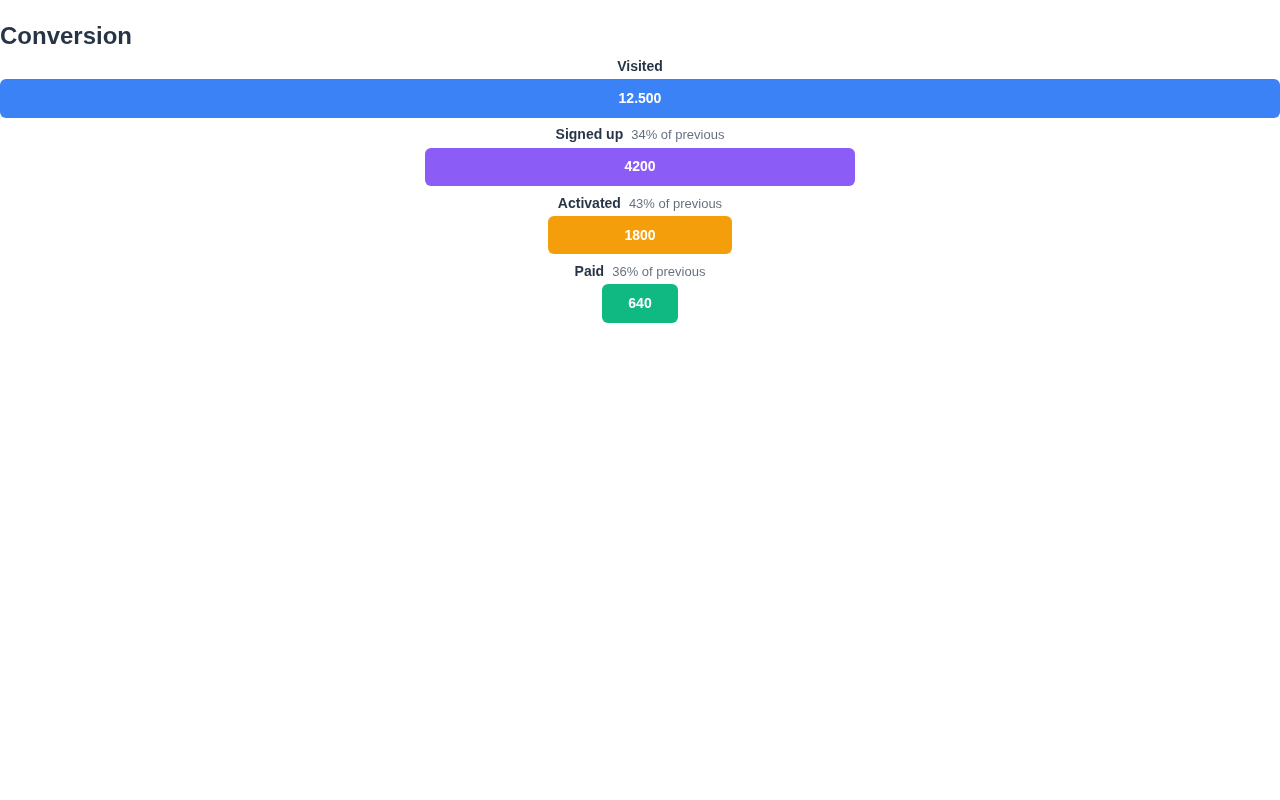
The renderer is dependency-free, themes through the standard CSS variables and works in dark mode. Each bar shows its value; every stage after the first shows its conversion vs the previous.
When to use it
Section titled “When to use it”Use a Funnel for stage-by-stage conversion. For a value with a trend use a Stat; for stages of a process the user is in use ProgressSteps. Demo: /funnel-demo.