

Create and edit
Status: ✅ Implemented (as patterns over AutoCrud)
Intent
Section titled “Intent”Let users create and edit records with the right amount of ceremony: a plain form for simple entities, a rich multi-section page for complex ones, or a drawer that slides over the listing for quick edits.
Simple: routed forms
Section titled “Simple: routed forms”AutoCrud<T> gives the Redwood Create and Edit — Simple template out of the box: /new and /{id}/edit routed forms with validation, optimistic locking and the dirty guard. No extra code.
Advanced: sections, zones and tabs
Section titled “Advanced: sections, zones and tabs”The Redwood Create and Edit — Advanced template is the same edit form composed for a complex record: grouped sections, multi-column zones and tabbed areas. In Mateu that is a composition of the existing layout vocabulary on the entity’s edit form, not a separate archetype:
@Section(name, columns)on entity fields groups the form into titled sections (addpropertyList = truefor read-only label/value rows).@Zones+@Section(zone = ...)arranges sections in side-by-side zones (e.g. main content left, summary/audit right).- Tabs — a
@Panel-grouped tab layout or aTabLayoutin a custom form component for “Details / History / Attachments” areas. @ReadOnly,@Help,@Stereotypefine-tune per-field behavior; bean-validation annotations drive validation.
All of it renders with the same anatomy (page header, color strip, footer actions) on every renderer — see the demo classes in demo/demo-admin-panel for live examples and the forms guide for the full field/layout vocabulary.
Drawer: edit over the listing
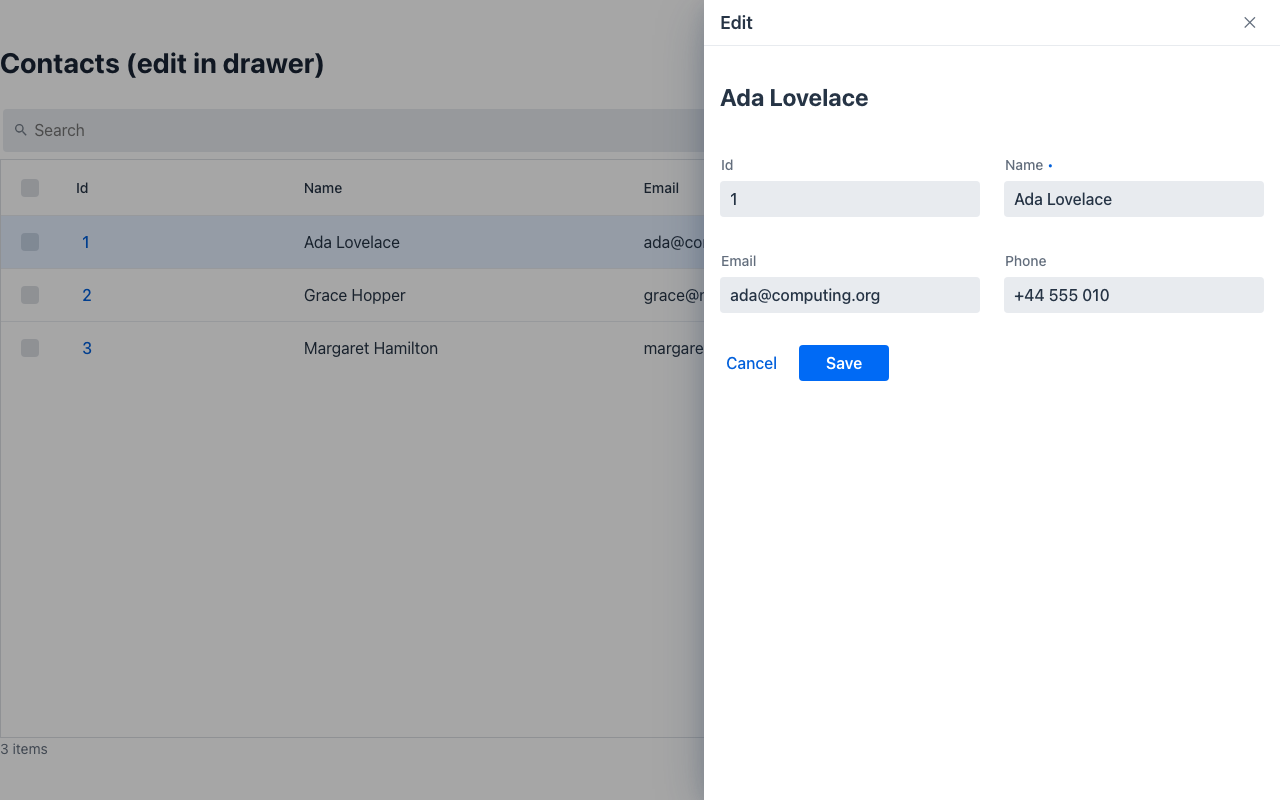
Section titled “Drawer: edit over the listing”editInDrawer() on the crud switches New/Edit to the Create and Edit — Drawer template: the form slides over the listing, which never unmounts; saving persists, closes the drawer and re-runs the search in place. See Drawer and the /drawer-crud-demo showcase page.
When to use what
Section titled “When to use what”- Few fields, fast data entry → Simple (default
AutoCrud). - Rich record with grouped content → Advanced (
@Section/@Zones/tabs on the same crud). - Quick edits where context matters → Drawer (
editInDrawer()).