

To-do list
Status: ✅ Implemented
Intent
Section titled “Intent”Give users a single place with everything pending on their plate: buckets like Today / This week / Later (or per status), each labelled with its counter, and cards with due-date and priority badges — where clicking a task acts on it (typically navigating to it) instead of selecting it for a side detail pane.
Problem
Section titled “Problem”A generic listing forces to-dos into rows and columns, and a collection-detail splits attention between a list and a detail pane. A personal work queue is neither: it is a flat, prioritized set of actionable cards organized by urgency.
Solution
Section titled “Solution”Extend TodoList<Row> and implement rows(), idOf, titleOf, groupOf and actionOn. The archetype composes a TaskQueue with one counted group per bucket; clicking a card runs actionOn(row) — return a URI to navigate, or any other Mateu action result.
@UI("/todo-list-demo")@Title("Front desk tasks")public class FrontDeskTasks extends TodoList<FrontDeskTasks.Task> {
    public record Task(String id, String title, String guest, String bucket,                       String due, String priority) {}
    @Autowired FrontDeskTaskService tasks;
    @Override protected List<Task> rows(HttpRequest httpRequest) {        return tasks.pending();            // your use case / repository    }    @Override protected String idOf(Task t) { return t.id(); }    @Override protected String titleOf(Task t) { return t.title(); }    @Override protected String captionOf(Task t) { return t.guest(); }    @Override protected List<Chip> badgesOf(Task t) {        return List.of(new Chip(t.due(), "normal"), new Chip(t.priority(), "warning"));    }    @Override protected String groupOf(Task t) { return t.bucket(); }    @Override protected Object actionOn(Task t, HttpRequest httpRequest) {        return URI.create("/bookings/" + t.id());   // clicking navigates to the task    }}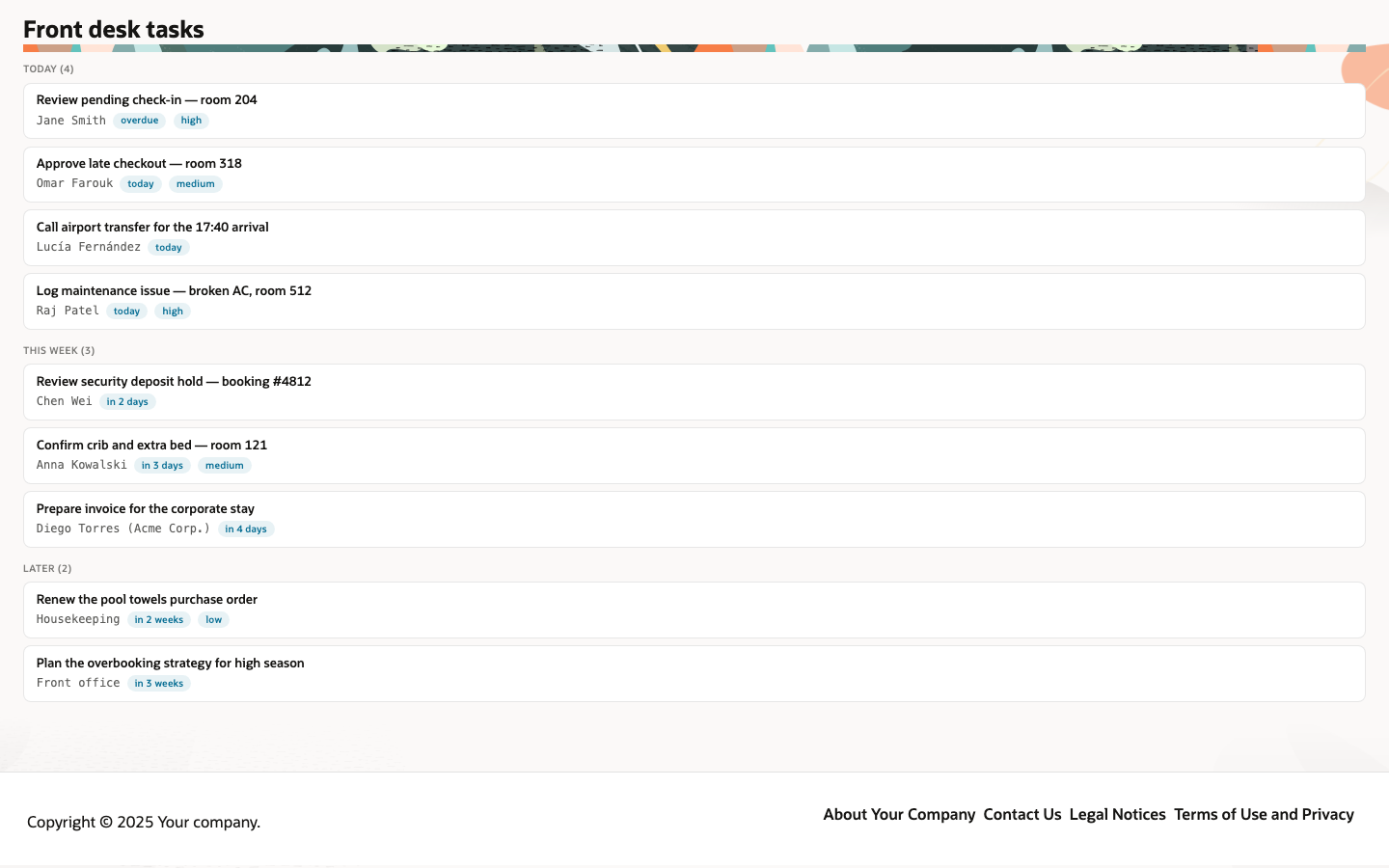
- Buckets render in first-appearance order with
name (count)labels — overridegroupOrder()for an explicit order andgroupLabel(group, count)for the label format. - Badges (
captionOf/badgesOf) carry the due date and priority of each card. - When nothing is pending, the page shows an “All caught up!” empty state — override
emptyState()to change it. - Works on every renderer and on the .NET (
TodoList<TRow>) and Python (TodoList[Row]) backends — see the parity matrix.
Redwood parameter and slot reference
Section titled “Redwood parameter and slot reference”What the Redwood task-organizer-page template exposes, and what Mateu gives you for it. This is
the most fully covered template of the set — its API is deliberately minimal. The canonical
page-header elements shared by every template are documented once in
Page templates.
Legend: ✅ supported · 🟡 partial · — not supported · ⚪ deliberately out of scope
| Redwood prop / slot | Mateu | |
|---|---|---|
pageTitle | @Title | ✅ |
primaryAction {label, icon, display} + spPrimaryAction | a Button field with its @Action (the fluent Button carries iconOnLeft/iconOnRight and disabled) | ✅ |
displayOptions.density: standard | compact | @Compact, set on the view rather than as a template option | 🟡 |
displayMode | the renderer adapts to the viewport | 🟡 |
| Slot default (the task cards) | rows() + idOf/titleOf/groupOf, enriched by captionOf/badgesOf, composed as a TaskQueue | ✅ |
Slot search | the app-level smart search bar / ⌘K palette, not a page slot | 🟡 |
Mateu adds bucket ordering and labelling (groupOrder(), groupLabel(group, count)) and an
emptyState() override, none of which the Redwood template exposes.
When to use it
Section titled “When to use it”Use the to-do list for personal or team work queues: approvals, reviews, front-desk tasks, follow-ups. Prefer collection detail when browsing a collection calls for an in-place detail pane, and a smart search page when finding the item is the hard part.