

Entity header
Status: ✅ Implemented
Intent
Section titled “Intent”Keep the who/what of a flow always in sight — the guest of a check-in, the customer of a case, the order of a fulfilment screen — as a compact banner with the identity, a few key facts and one highlighted metric, so the operator never loses context while working through the steps below.
Solution
Section titled “Solution”Use the EntityHeader component: a title with badges (badge-palette Chips), a subtitle line, a list of Facts (label-over-value pairs) and an optional right-side metric (metricLabel / metricValue / metricCaption) rendered big in the accent color.
@Section("Guest")Component guest = EntityHeader.builder() .title("María Fernández") .badges(List.of(Chip.builder().label("PLATINUM").color("contrast").build())) .subtitle("Ocean Suite · 30 Apr → 07 May · 7N · 2pax · All Inclusive") .facts(List.of( Fact.builder().label("TOTAL RESERVA").value("€ 4.890,00").build(), Fact.builder().label("AGENCIA").value("TUI Group · TUI Magic Life").build())) .metricLabel("FIDELIDAD").metricValue("48.500").metricCaption("23 estancias") .build();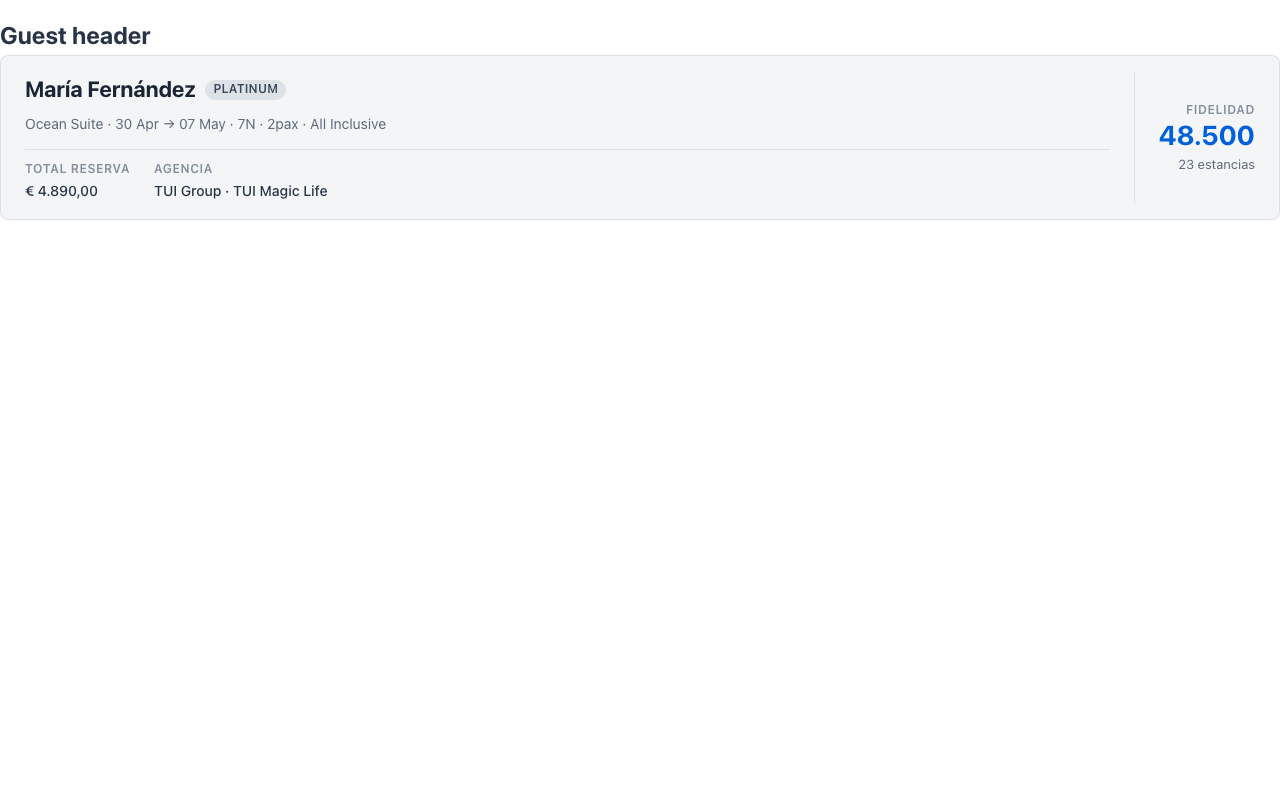
The component is display-only — it dispatches no actions. The renderer is dependency-free, themes through the standard CSS variables and works in dark mode.
When to use it
Section titled “When to use it”Use an EntityHeader at the top of a task screen or wizard so the entity being worked on stays pinned while the user moves through steps — e.g. the guest card above a check-in wizard. For a full record page with tabs, use the Item Overview archetype instead; for a standalone KPI use Stat. See it composed into a whole screen in Front-office screens. Demo: /entity-header-demo.