

Org chart
Status: ✅ Implemented
Intent
Section titled “Intent”Show a hierarchy — who reports to whom, a category tree, a decision tree — as a classic top-down chart, so the structure and depth read at a glance.
Solution
Section titled “Solution”Use the OrgChart component: a single root OrgNode whose children fan out below it, connected by lines. Each node has a title, optional subtitle, an avatar (emoji or image URL) and accent color. A node with an actionId is clickable.
@Section("Leadership")Component org = OrgChart.builder() .root(OrgNode.builder().title("Ada Lovelace").subtitle("CEO").avatar("👑").color("#1a73e8") .actionId("openPerson") .children(List.of( OrgNode.builder().title("Alan Turing").subtitle("CTO").avatar("💻") .children(List.of( OrgNode.builder().title("Grace Hopper").subtitle("VP Eng").build())) .build(), OrgNode.builder().title("Katherine J.").subtitle("CFO").avatar("📊").build())) .build()) .build();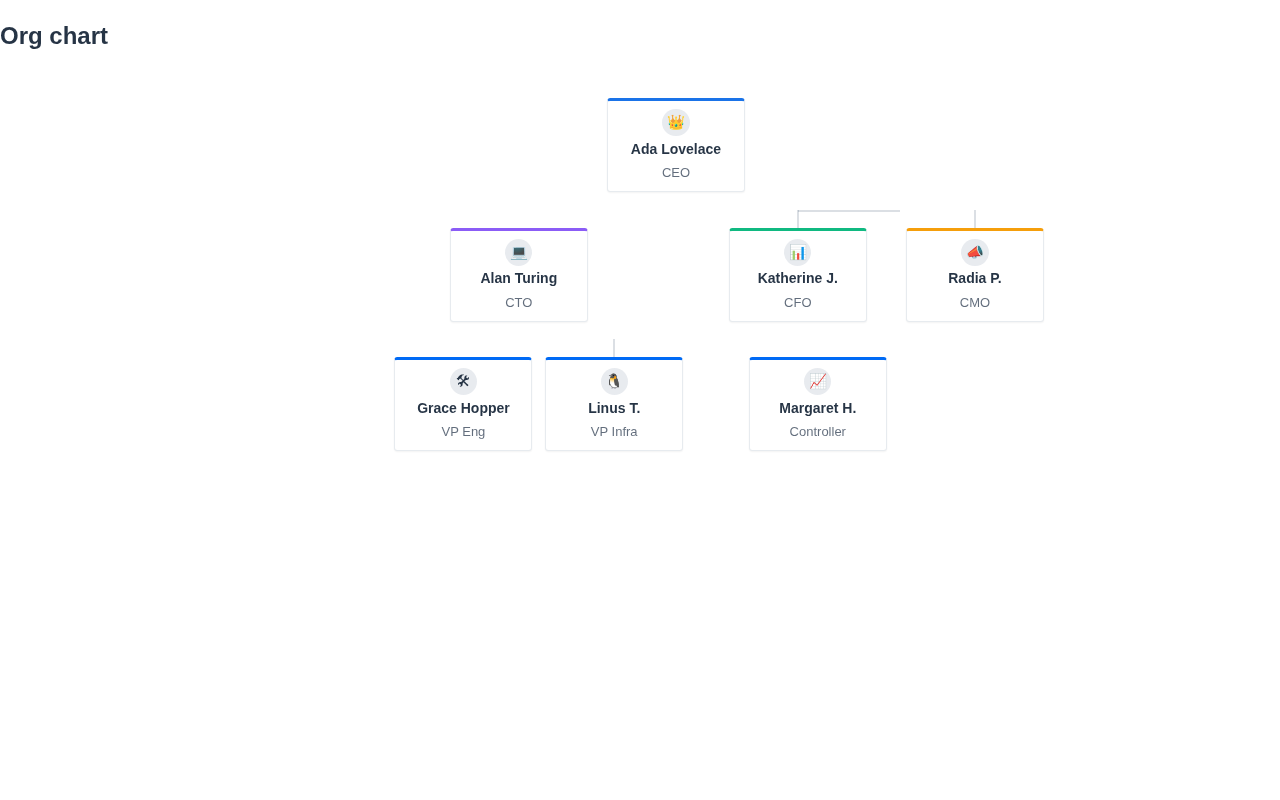
The renderer is dependency-free (CSS-connector tree), themes through the standard CSS variables, works in dark mode and scrolls horizontally when wide. On mobile (React Native) and in the IntelliJ plugin the same tree renders indented — the natural narrow-viewport adaptation.
When to use it
Section titled “When to use it”Use an OrgChart for top-down hierarchies you want to see whole. For a large, navigable tree (file explorer, deep taxonomy) use a GridLayout.tree listing or a tree select instead. Demo: /orgchart-demo.