

Smart search
Status: ✅ Implemented
Intent
Section titled “Intent”Give users a dedicated search page for a collection: an optional intro line under the page title, the smart search bar with typed filter facets and chips, and the results collection — without the hero chrome of a landing page and without the New/Edit chrome of an entity crud.
Problem
Section titled “Problem”A routed Listing preloads its rows and reads as “a grid page”; a crud adds create/edit affordances. When the task is “search across X” — assets, knowledge articles, any record finder — you want the search field to be the page’s focus and the page to start empty, waiting for the user.
Solution
Section titled “Solution”Extend SmartSearchPage<Filters, Row> and implement search(SearchRequest, HttpRequest) exactly like any listing (the archetype already declares Searchable and Filterable<Filters> for you). It composes the optional pageSubtitle() intro line over the standard smart-search listing. It is read-only and starts empty (the user searches).
@UI("/smart-search-demo")@Title("Smart Search")public class AssetSearch extends SmartSearchPage<AssetFilters, AssetRow> {
    public enum Zone { Warehouse, Office, Fleet }
    public record AssetRow(String id, String name, Zone zone, LocalDate acquired, int units) {}
    public static class AssetFilters {        String name;        Set<Zone> zones;      // multi-select facet        DateRange acquired;   // from–to date facet    }
    @Override protected String pageSubtitle() {        return "Find assets by name, zone or acquisition date";    }
    @Override    public ListingData<AssetRow> search(SearchRequest request, HttpRequest httpRequest) {        // query your use case / repository with        // request.searchText() + filters(request) + request.pageable()        return ListingData.from(/* … */ rows);    }}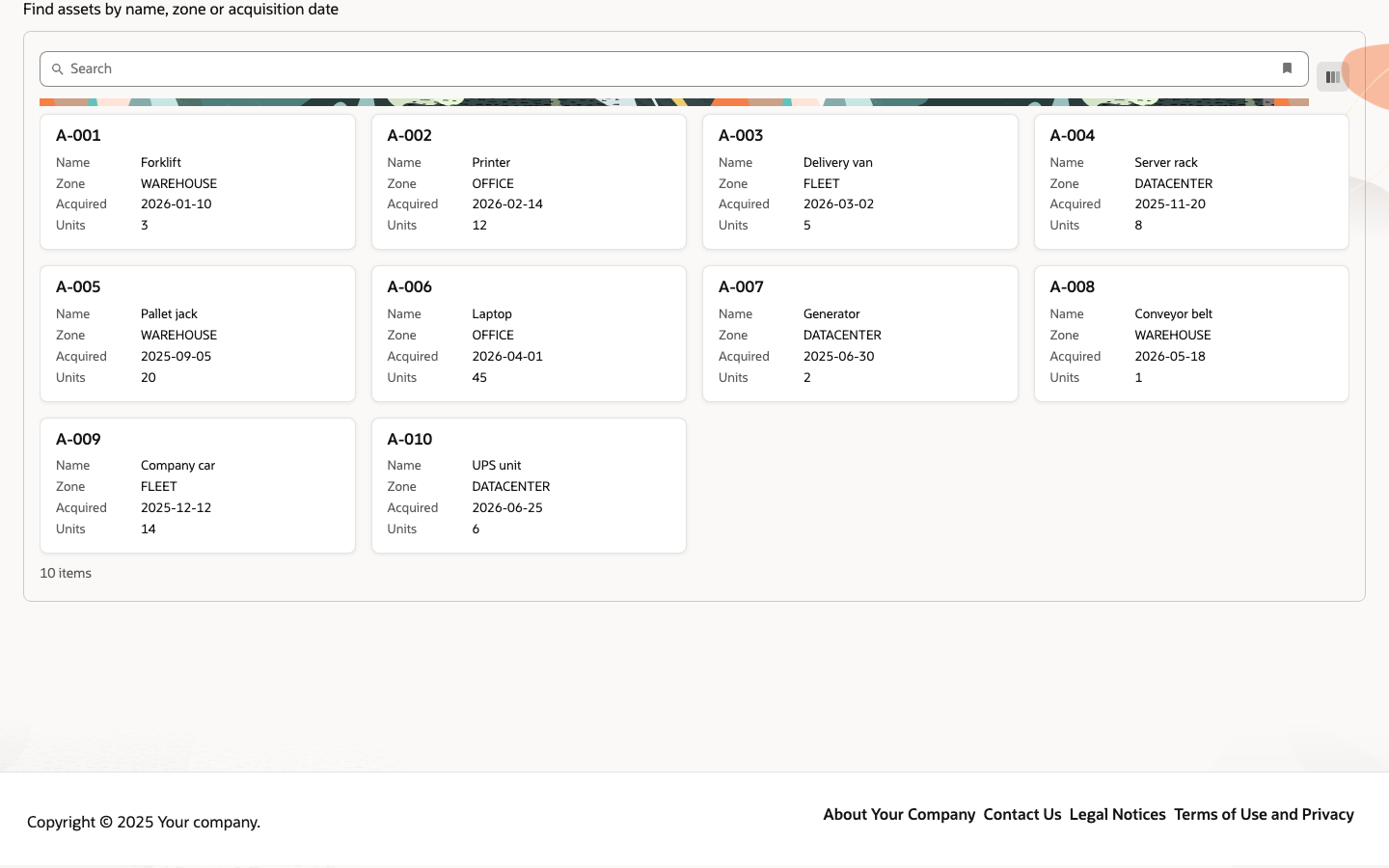
- The
Filtersfields become the facets of the smart search bar; typed fields get typed widgets —DateRange/NumberRangerender from–to ranges, aSet<SomeEnum>renders a multi-select with the enum constants as options. - The page starts empty (search-first) and searches on enter. Add
@Trigger(type = TriggerType.OnLoad, actionId = "search")on the class to preload results. - Results default to a table (
GridLayout.auto); overridegridLayout()to forcelist,cards,masterDetailortree. - Works on every renderer and on the .NET (
SmartSearchPage<TFilters, TRow>) and Python (SmartSearchPage[F, R]) backends — see the parity matrix.
Before the first search (preSearchContent)
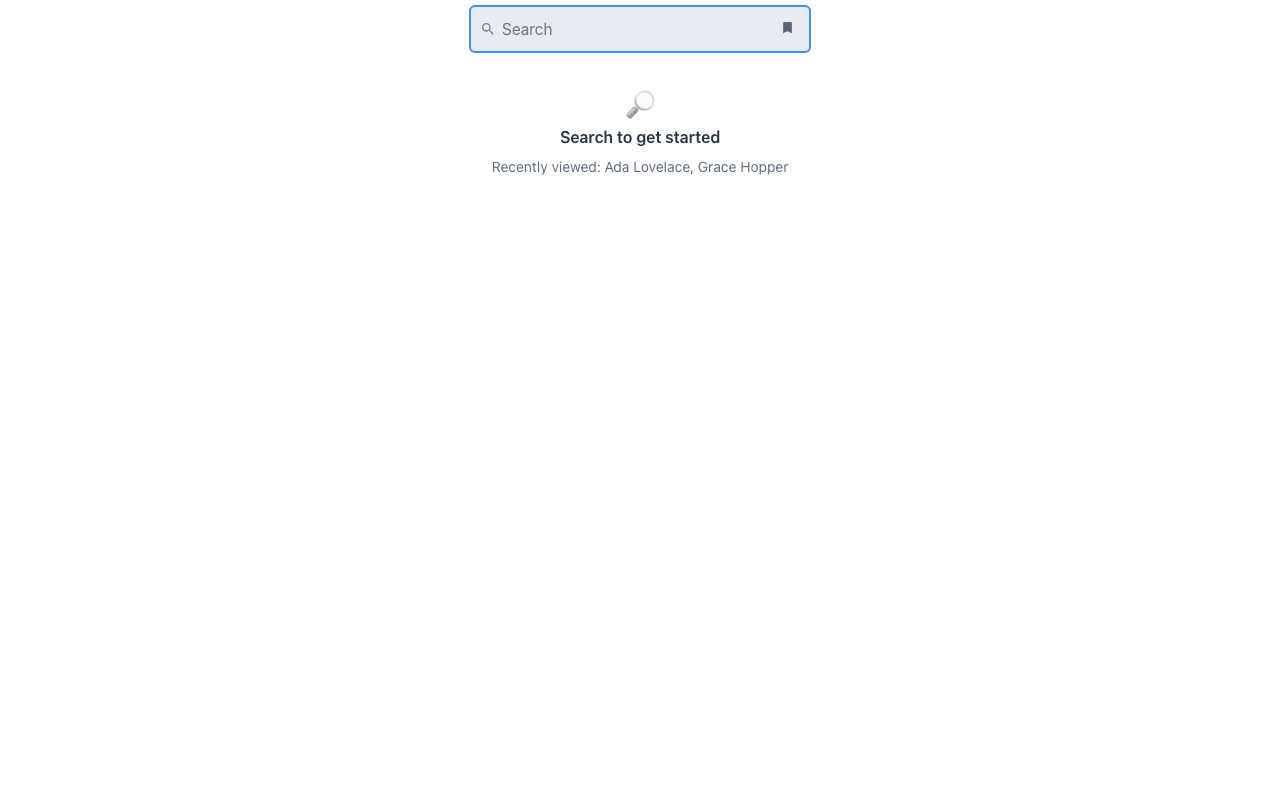
Section titled “Before the first search (preSearchContent)”A search-first page does not have to open on an empty listing. Override preSearchContent(rq)
with what the user should see until they search — recent items, saved searches, a small dashboard,
tips:
@Overrideprotected Component preSearchContent(HttpRequest rq) { return EmptyState.builder().icon("🔎").title("Search to get started") .description("Recently viewed: " + recent(rq)).build();}It stands in for the results until the first search answers, and never comes back afterwards — a
later empty result shows the normal empty state. Fluent: Listing.builder().preSearchItem(...).
Coverage
Section titled “Coverage”| Java | .NET | Python | Vaadin | Redwood | React Native | IntelliJ | |
|---|---|---|---|---|---|---|---|
| Smart search page (typed facets, chips, search-first) | ✅ | ✅ | ✅ | ✅ | ✅ | ✅ | ✅ |
preSearchContent | ✅ | ✅ | ✅ | ✅ | ✅ | ✅ | ✅ |
Redwood parameter and slot reference
Section titled “Redwood parameter and slot reference”What the Redwood smart-search-page template and its smart-filter-search pattern expose, and what
Mateu gives you for them. The canonical page-header elements shared by every template are documented
once in Page templates.
Legend: ✅ supported · 🟡 partial · — not supported · ⚪ deliberately out of scope
| Redwood prop / slot | Mateu | |
|---|---|---|
smartFilters.filtersMetadata | the Filters class fields, typed: DateRange/NumberRange → from–to widgets, Set<Enum> → multi-select | ✅ |
smartFilters.appliedFilters / value | applied conditions render as removable chips; state round-trips through the component state and the URL | ✅ |
smartFilters.resultsData / totalCount | search(SearchRequest, HttpRequest) → ListingData (Page carries totalElements) | ✅ |
smartFilters.askHint | pageSubtitle() sets an intro line; the bar itself has no hint prop | 🟡 |
smartFilters.autofocus | autoFocusOnSearchText on the listing | ✅ |
smartFilters.expanded | — the Filter by panel opens on click or typing, never on load (opening it on focus would pop it on page load) | — |
smartFilters.suggestions / suggestionFilters / autocompleteSource | — no suggestion layer; @Lookup/@RestOptions cover per-field remote options | — |
showAllTotalCount / allTotalCountMessage | — | — |
collectionScroller: off | page | pagination is the listing’s own | 🟡 |
selectContext | RecordSwitcherSupplier on the page (header switcher, type = context) | ✅ |
| Slot default (results) | the listing; gridLayout() picks table, list or cards | ✅ |
Slot main + dashboard (pre-search content) | preSearchContent(rq) → Listing.preSearch | ✅ |
Slot search | the smart search bar is the page’s own | ✅ |
Slot announcement (aria-live) | UICommand.announce(text) from any action | ✅ |
smartFiltersChangedAction | chip add/remove and facet toggles re-run search automatically | ✅ |
When to use it
Section titled “When to use it”Use smart search when searching is the task but you want a workbench page, not a landing page: record finders, asset/article lookup, cross-team search tools. Prefer hero search for a distraction-free entry point (public catalogs, home pages), and a plain AutoCrud/Listing when the user works the collection (edits, exports, dense scanning).