Embedded UI
Embed Mateu into React, Vue, Angular or plain HTML.
You do not need to replace your current frontend to start using Mateu.
Why this case matters
For many teams, the main objection is simple:
“We already have a frontend.”
This is where embedding matters.
Mateu can be adopted gradually, one module at a time, without forcing a rewrite.
That makes it useful for:
- existing React or Vue applications
- SaaS products that need admin modules
- teams that want backend-owned business UI
- low-risk incremental adoption
For more background, see:
What this case teaches
- how Mateu can be adopted without replacing the host frontend
- how a Mateu UI can be dropped into another app with a web component
- why this is useful for gradual migration and hybrid stacks
Minimal example
<!doctype html>
<html lang="en">
<head>
  <meta charset="UTF-8" />
  <link rel="icon" type="image/svg+xml" href="/vite.svg" />
  <meta name="viewport" content="width=device-width, initial-scale=1.0" />
  <title>Users home</title>
  <script
    type="module"
    crossorigin
    src="https://cdn.jsdelivr.net/npm/mateu-vaadin/dist/assets/mateu-vaadin.js">
  </script>
</head>
<body>

  <h1>This is my app</h1>

  <br><br>

  <h4>The counter below is embedded from a remote Mateu app</h4>

  <mateu-ui baseUrl="https://demo.mateu.io/counter"></mateu-ui>

  <br><br>

  <h4>This is my footer</h4>

</body>
</html>
Result
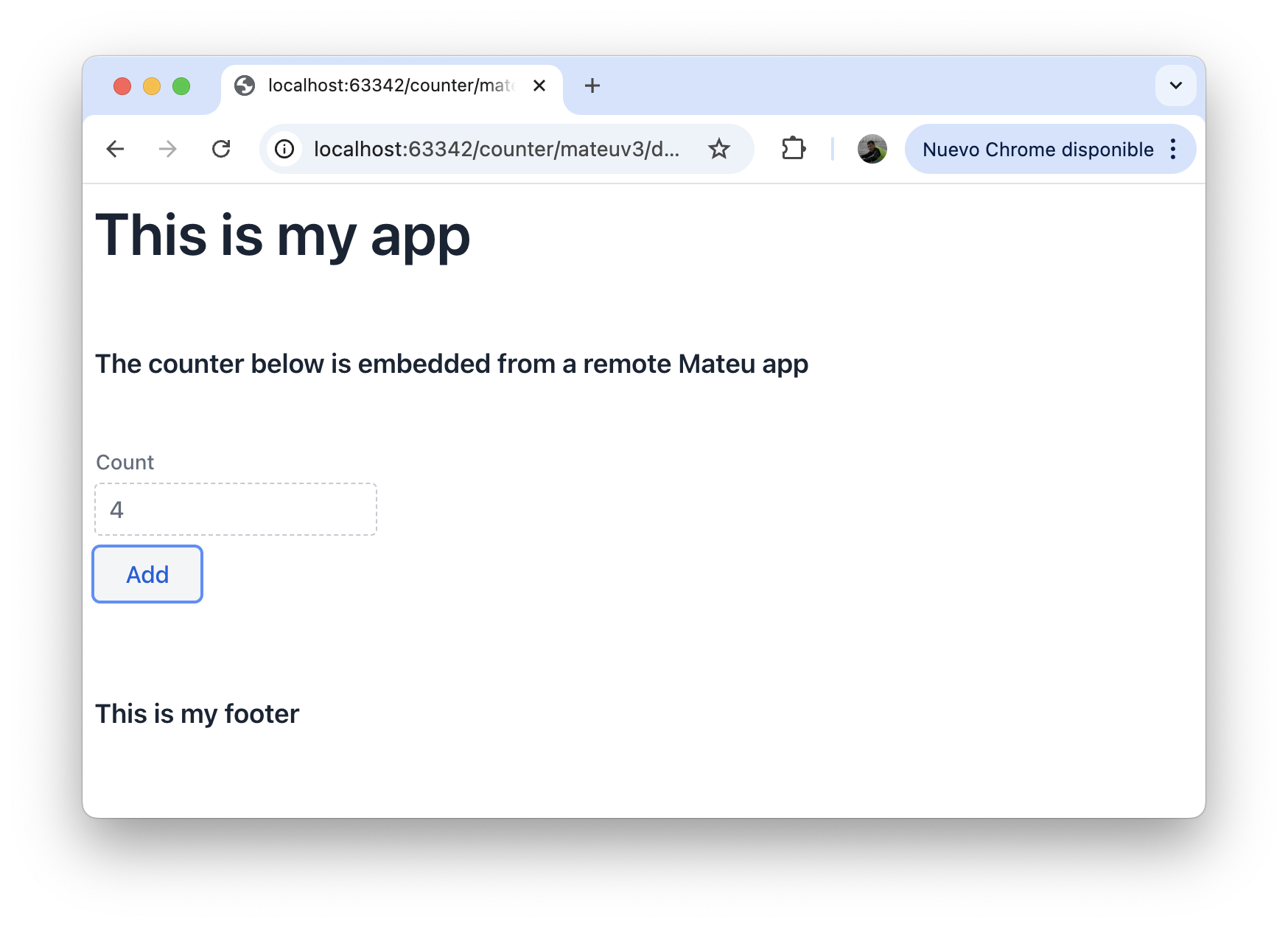
The host page is your application.
The counter is rendered by a remote Mateu backend inside the page.
That is the important shift:
- the host app stays yours
- the embedded business UI comes from Mateu
- both coexist naturally
Why this matters
This removes one of the biggest adoption barriers.
You can:
- keep the current frontend
- use Mateu for one module at a time
- migrate gradually instead of rewriting everything
A practical path looks like this:
- keep your current app
- build one new business screen with Mateu
- embed it
- repeat only where it makes sense
React example
export default function UsersPage() {
  return <mateu-ui baseUrl="https://demo.mateu.io/counter" />;
}
Vue example
<template>
  <mateu-ui baseUrl="https://demo.mateu.io/counter" />
</template>
The host framework does not need to know how Mateu renders the UI.
It only needs to host the component.
Why this is different from an iframe
Mateu exposes a dedicated web component for rendering the UI.
That means embedding feels like integrating a real frontend component, not just loading another page in a box.
Conceptually:
- iframe → external page
mateu-ui→ embeddable UI component
Mental model
Mateu can act as:
- a UI engine
- a remote business module
- an embeddable frontend component
This is what makes it useful even in stacks that are already committed to another frontend framework.
When to use this
This pattern is especially useful for:
- admin panels inside SaaS apps
- internal tools inside existing products
- gradual migration from React or Vue
- teams that want backend-owned business modules