On This Page
First app
This tutorial is a slower introduction than the quickstart.
If you want to build something real first, go to the Quickstart.
1. Create a UI class
@UI("")
@Title("My first Mateu app")
@Style(StyleConstants.CONTAINER)
public class Home {
}
This defines a screen at the root path (/) with a title and a container-style layout.
2. Add state
String name;
Mateu uses fields as UI state.
This automatically creates a text input field in the UI.
3. Add validation
@NotEmpty
String name;
Validation annotations are reflected directly in the UI.
Now the field is required.
4. Add an action
@Button
public Message greet() {
  return new Message("Hello " + name);
}
Actions define behavior.
This creates a button that:
- reads the current state (
name) - executes the method
- shows the returned message
Result
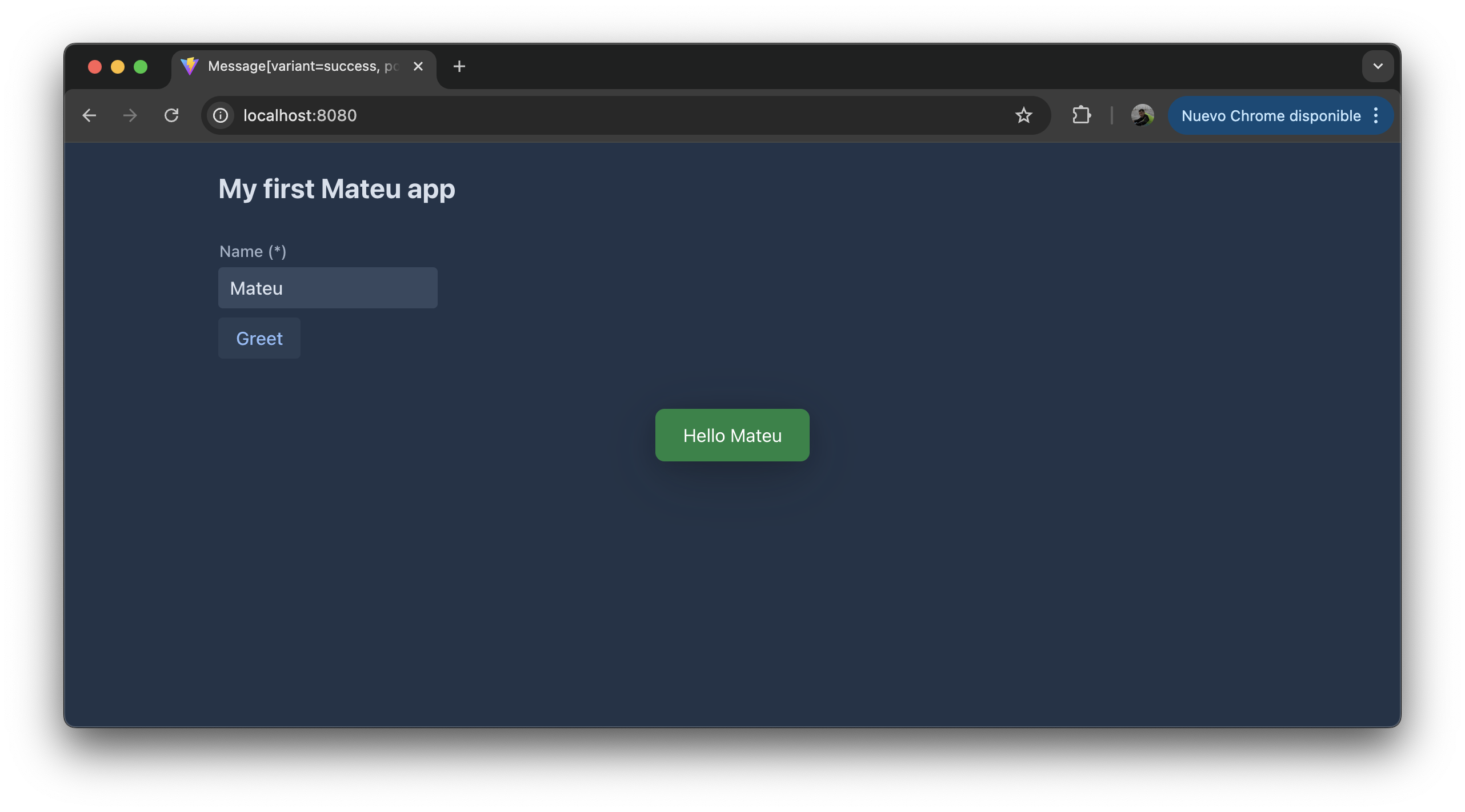
With just this code, Mateu generates a working UI:
- an input field for
name - validation from
@NotEmpty - a button bound to the
greetaction - a message shown as feedback
What just happened?
You defined:
- state →
name - validation →
@NotEmpty - behavior →
greet()
Mateu turned that into a complete UI automatically.