Introduction
Ok. So, let’s say we want to build a backoffice for our entities.
Mateu’s main purpose is to allow you to do it by writing the minimum lines of code, in a declarative way. Here we are gonna see how we can do it.
Our use case
For illustration purposes we are gonna build a backoffice for a simplified travel booking system with the following entities:
- agency
- country
- destination
- room type code
- board type code
- hotel
- inventory
- stop sales
- contract
- tariff
- booking
We are gonna follow a hexagonal architecture approach.
In the domain layer, for each entity, we would usually define the aggregates and a repository interface in the ports package in the application layer. We would usually implement the repository interface in the infrastructure layer.
We are going to define our backoffice in the ui package, as a primary adapter in the infrastructure layer.
Disclaimer
For simplicity’s sake we are not gonna define our aggregates nor CRUD use cases in the application and domain layer but, instead, we are gonna make the UI directly consume the infrastructure layer entities and repositories.
Usually you would define the aggregates in the domain layer and the use cases for the CRUD operations in the application layer but all that boilerplate does not provide any value for the purpose of this article, so we decide to get rid of it.
Please note that the business invariants would usually be enforced in the aggregates and in the value objects. Here we just state data validation rules by using jakarta’s validation annotations (JSR-380).
Please notice also that we do not mention i18n as there is a dedicated chapter to it in Mateu’s documentation.
All the code you will see is framework-agnostic. We could run it on a Spring Boot MVC, Webflux, Quarkus or Micronaut application.
Running the example
This example assumes a standard Java application, no matter if you are using Spring Boot MVC, Webflux, Micronaut or Quarkus.
You only need to:
- include Mateu as a dependency
- define your UI as explained in this document
- run the application and open the server url in your browser, e.g.
http://localhost:8080
The domain and application layers
Here is where we would usually define our use cases (basically orchestrators) and ports, in the application layer, while we would define our aggregates, value objects, domain services and domain events and exceptions in the domain layer.
As we mentioned in the disclaimer these layers will be empty for our example as they do not provide any value to us, other than a lot of boilerplate, as per the purpose of this document. Our UI will directly consume the entities and repositories in the infrastructure layer instead.
The infrastructure layer
Here we provide the adapters (e.g. the repositories implementations) for the ports (e.g. the repositories), and we also define the controllers for the synchronous apis, the event consumers and producers for the async apis and the UIs. In essence, we define what connects our domain (the use cases, indeed) to the outside world.
Persistence
Here we provide the adapters for the repositories.
This is a sample entity and repository definitions:
public record Agency(
        @NotEmpty
        @EditableOnlyWhenCreating
        String id,
        @NotEmpty
        String name
) implements GenericEntity {
}

public interface AgencyRepository
  extends Repository<Agency, String> {
}
For simplicity’s sake we are gonna implement the repository interfaces like this:
@Service
public class LocalAgencyRepository
  extends LocalRepository<Agency, String>
  implements AgencyRepository {
}
Where LocalRepository is a generic repository storing the entities in memory using a simple Map, like this:
public class LocalRepository<EntityType
  extends Entity<IdType>, IdType>
  implements Repository<EntityType, IdType> {

    private final Map<IdType, EntityType> repository = new ConcurrentHashMap<>();

    @Override
    public void saveAll(List<EntityType> entities) {
        entities.forEach(entity -> repository.put(entity.id(), entity));
    }

    @Override
    public List<EntityType> findAll() {
        return repository.values().stream().toList();
    }

    @Override
    public Optional<EntityType> findById(IdType id) {
        return Optional.ofNullable(repository.get(id));
    }

    @Override
    public ListingData<EntityType> search(
      String searchText, Pageable pageable, HttpRequest httpRequest) {
      var found = repository.values().stream()
        .filter(entity -> searchText.isEmpty() ||
          entity.toString().toLowerCase().contains(searchText))
        .toList();
      return new ListingData<>(new Page<>(
        searchText,
        found.size(),
        0,
        found.size(),
        found.stream().map(entity ->
          new Option(entity.code(), entity.name())).toList()));
    }
}
This is a very naive implementation intended only for demo purposes. Using a JPA or Document repository would also work, but we choose this implementation as our goal is only to showcase the UI patterns, not persistence concerns.
The UI
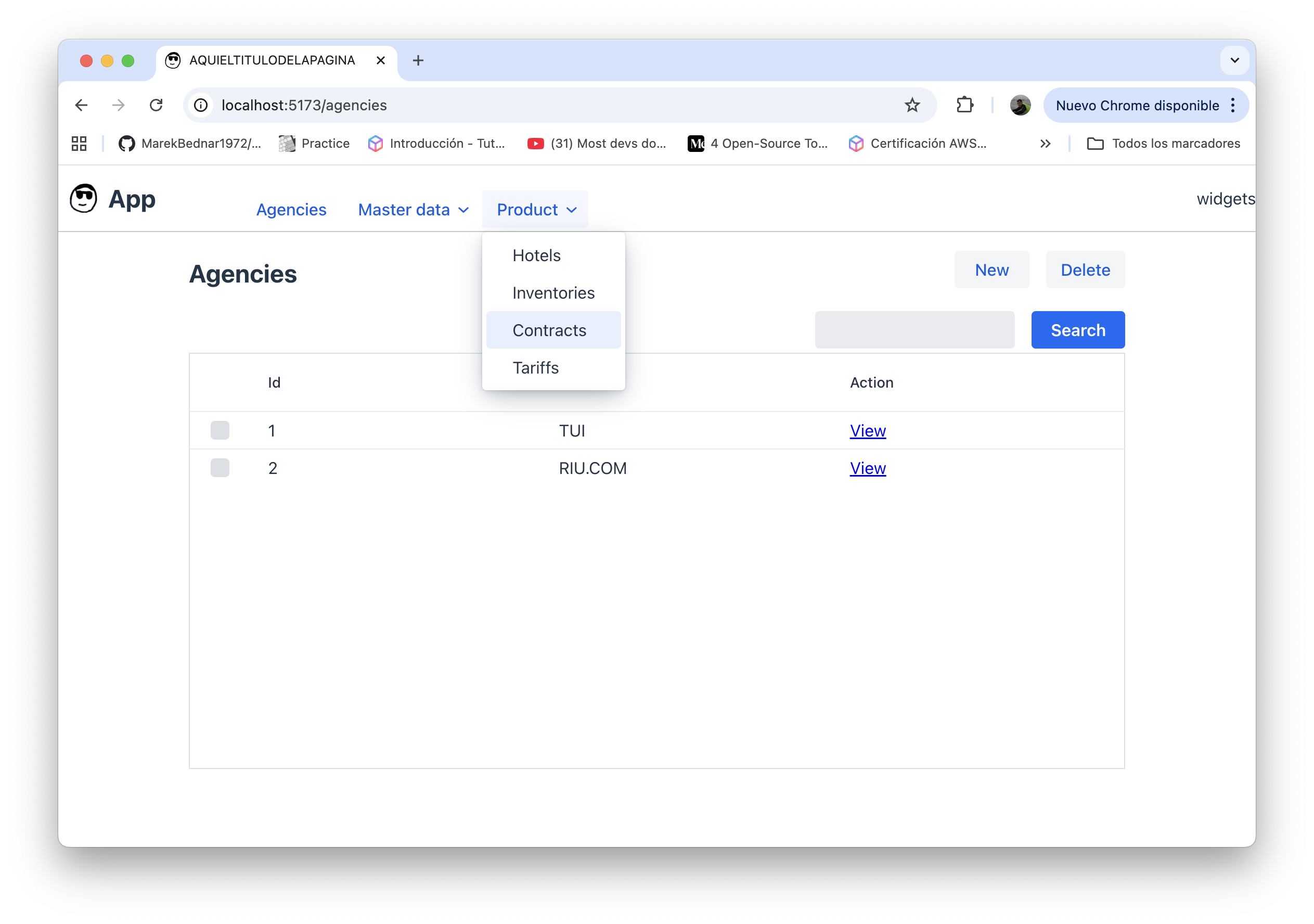
The first thing is to define the home and the main menu. This means, an app with some menus for accessing the different CRUDs:
@MateuUI("")
@Style("width: 100%;")
@Title("App")
@FavIcon("/images/favicon.png")
@PageTitle("My app")
@Logo("/images/logo.png")
public class Home {

    @Menu
    Agencies agencies;

    @Menu
    MasterDataMenu masterData;

    @Menu
    ProductSubmenu product;

    String content = "Welcome to our awesome booking system";

}

public class MasterDataMenu {

  @Menu
  Countries countries;
  @Menu
  Destinations destinations;
  @Menu
  Seasons seasons;
  @Menu
  RoomTypeCodes roomTypeCodes;
  @Menu
  BoardTypeCodes boardTypeCodes;

}

public class ProductSubmenu {

  @Menu
  Hotels hotels;
  @Menu
  Inventories inventories;
  @Menu
  Contracts contracts;
  @Menu
  Tariffs tariffs;

}
The CRUDs
Each of those leaf menu entries is a class extending the GenericCrud class, for an entity. Something like this:
@Service
@RequiredArgsConstructor
public class Agencies extends GenericCrud<Agency> {

    final AgencyRepository agencyRepository;

    @Override
    public Repository<Agency, String> repository() {
        return agencyRepository;
    }
}
The GenericCrud class provides the list, create, view, edit and delete functionalities out of the box, inferring the columns and fields from the entity fields.
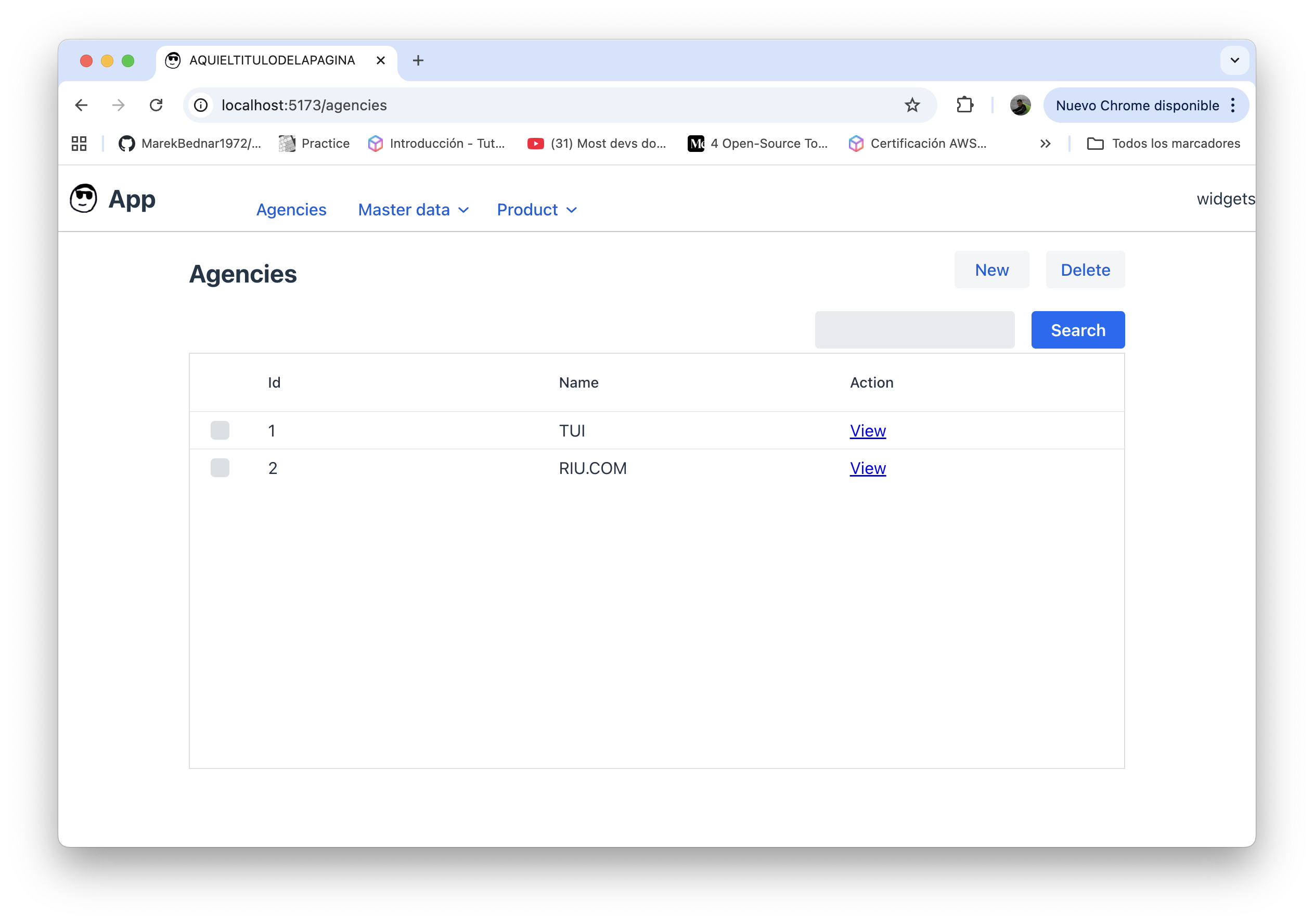
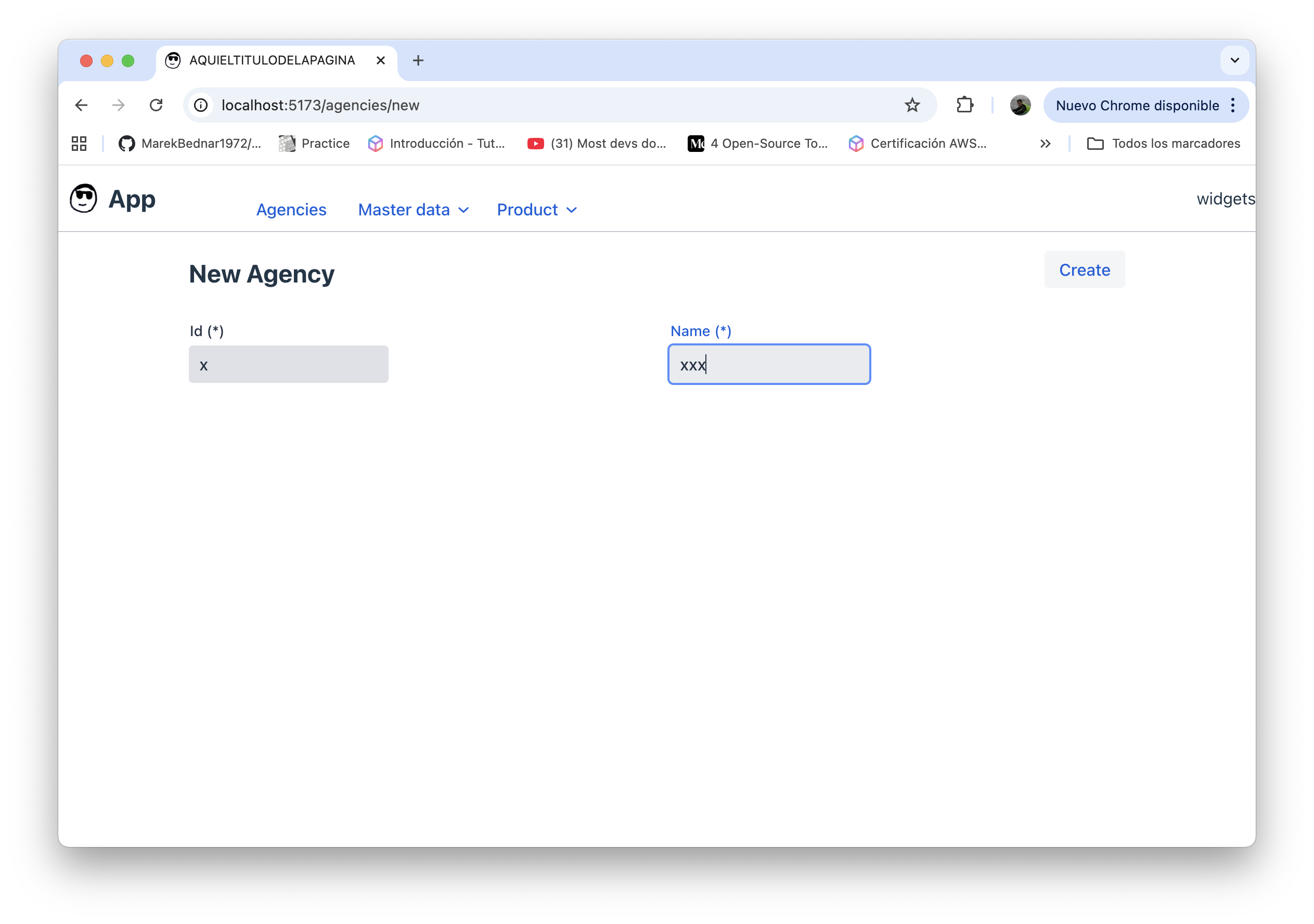
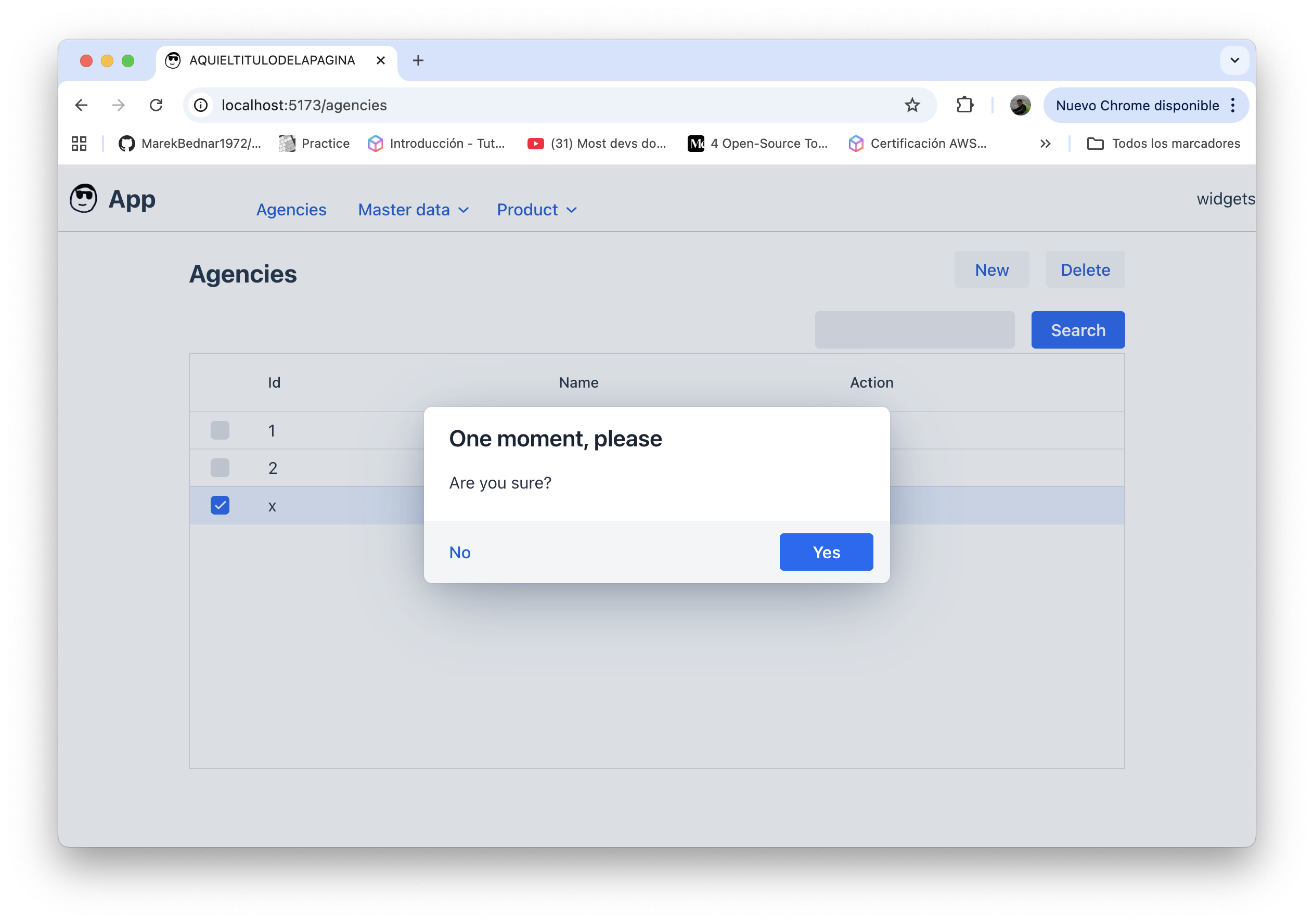
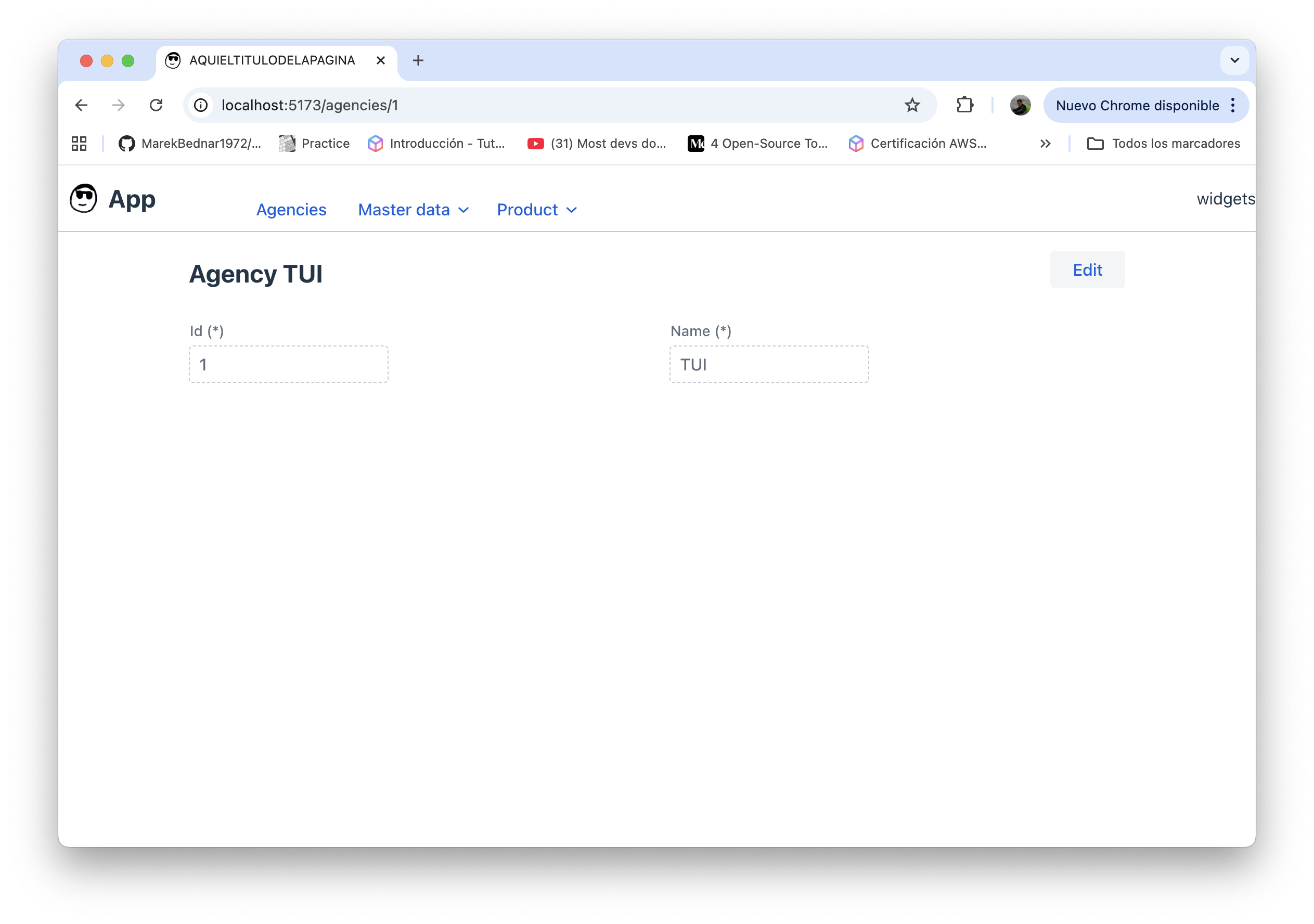
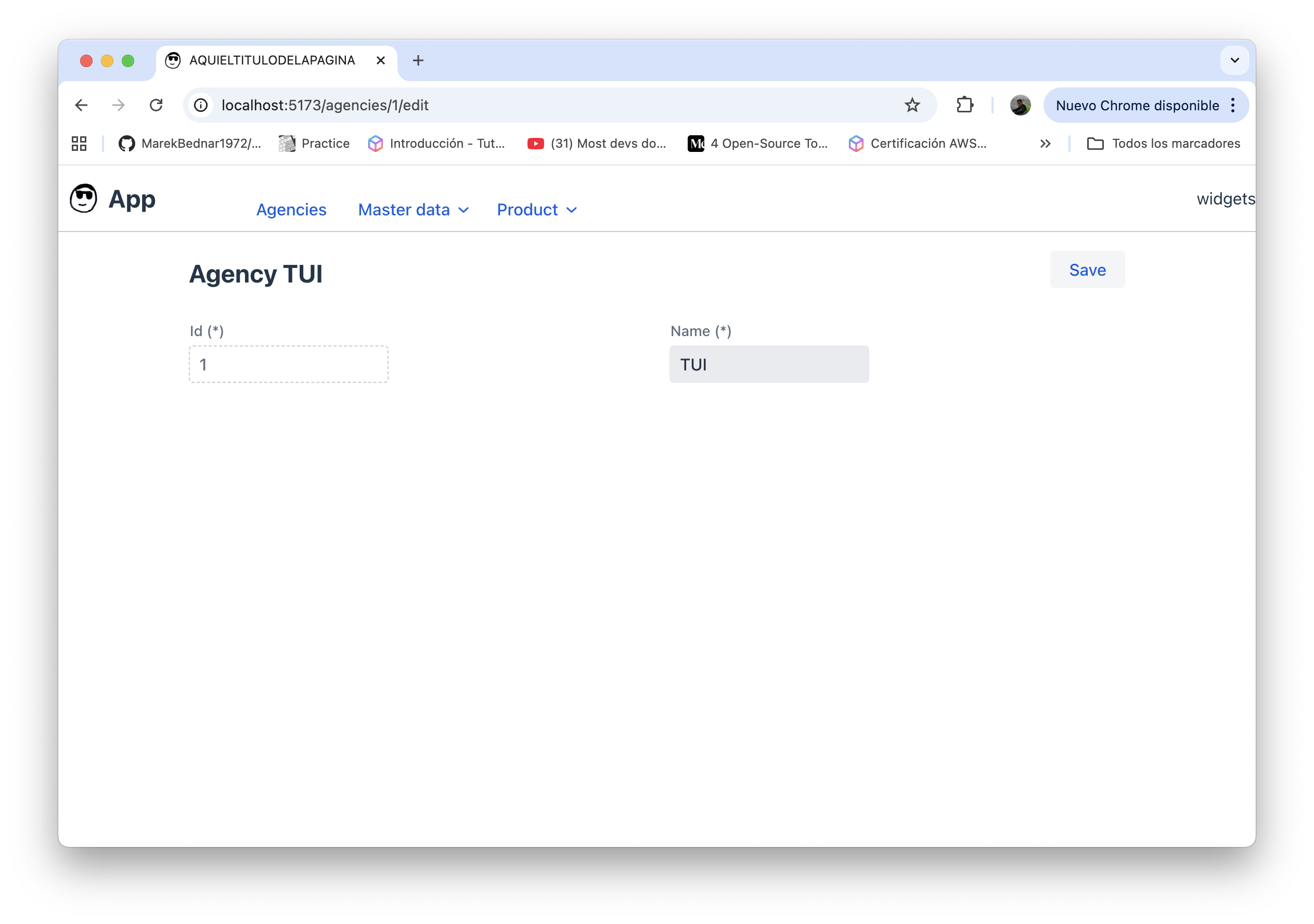
You can override or adjust what Mateu infers by using annotations, as explained in the documentation.
CRUD level actions
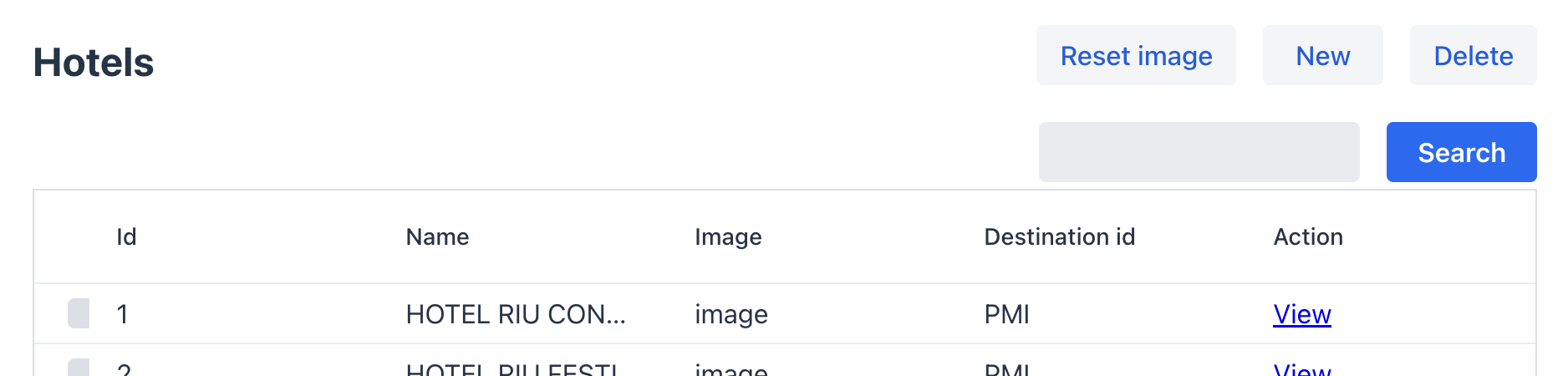
You can add buttons to the CRUD listing view for calling some logic on the server side. For doing that, you only need to create a method in your CRUD class and annotate it with @ListToolbarButton, like below:
    @ListToolbarButton
    void resetImage(HttpRequest httpRequest) {
        log.info("reset image {}", httpRequest.getSelectedRows(Map.class));
    }
View level actions
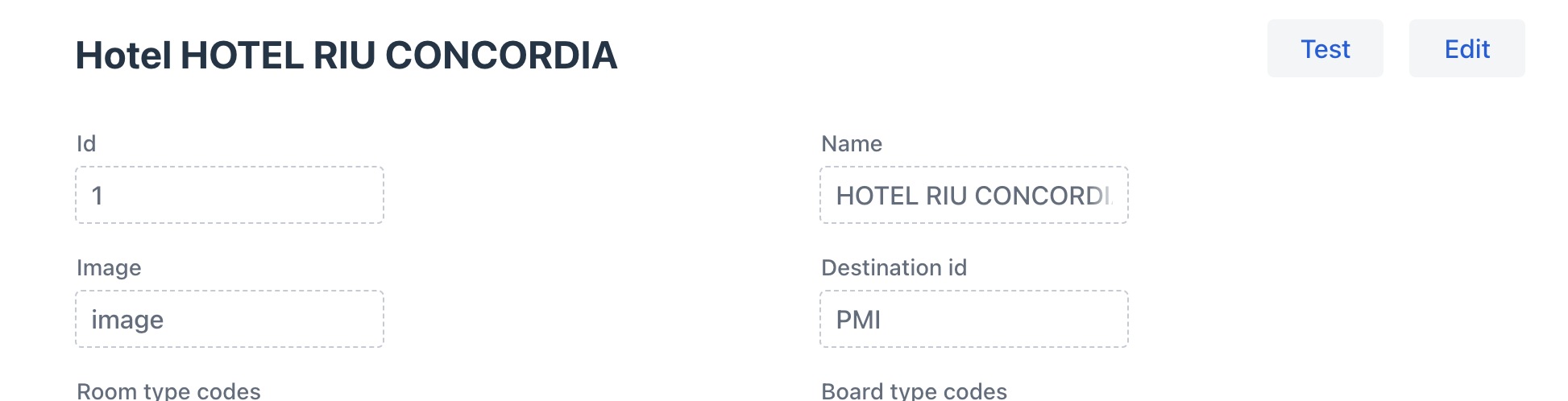
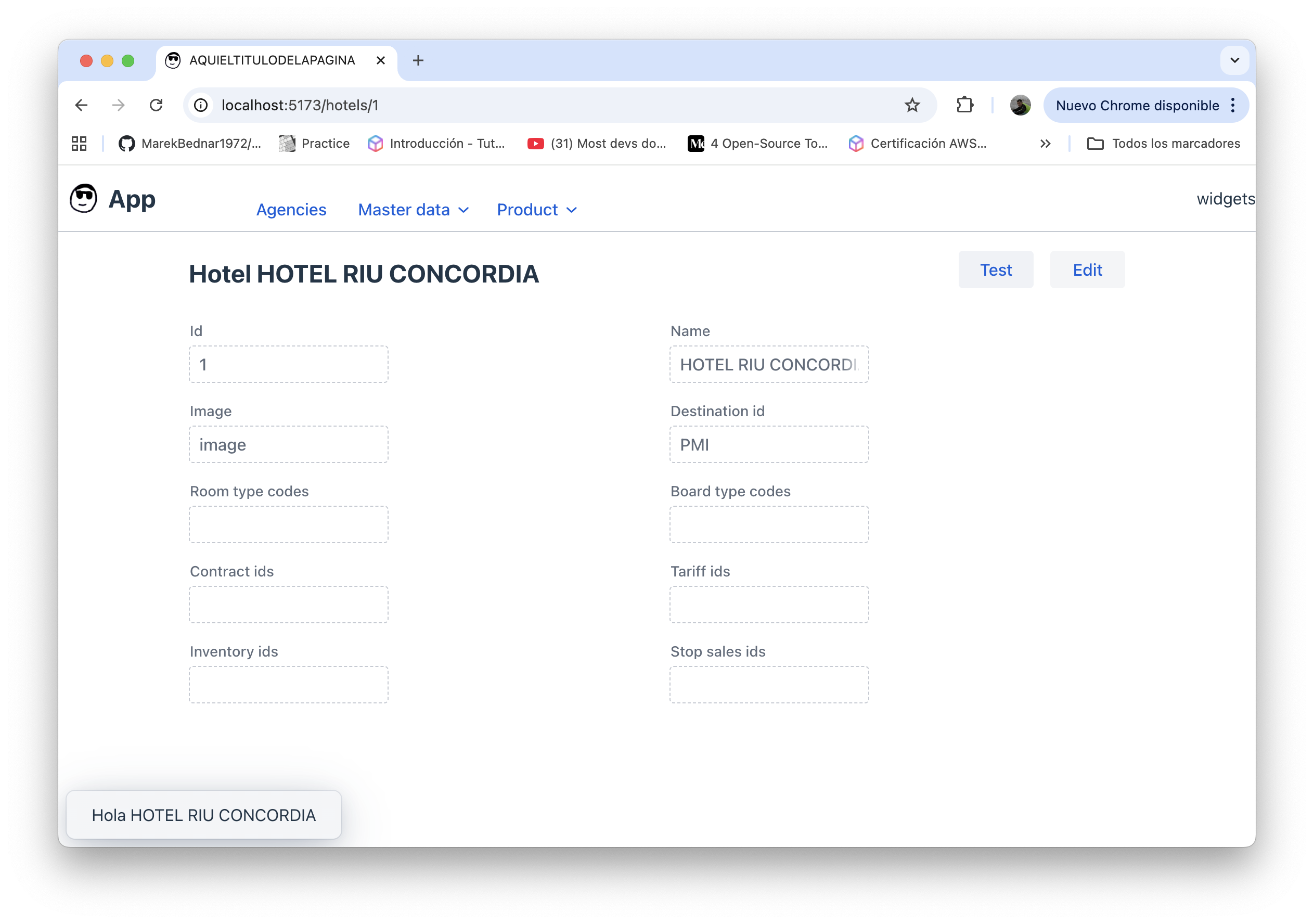
You ca also add buttons to the entity read only view for calling some logic on the server side, for any entity. For doing that, you only need to create a method in your CRUD class and annotate it with @ViewToolbarButton, like below:
    @ViewToolbarButton
    Object test(Hotel hotel, HttpRequest httpRequest) {
        log.info("test {}", hotel);
        return Message.builder()
                .text("Hola " + hotel.name())
                .build();
    }
Conditional actions
For actions which mus be disabled under some circumstances you can annotate the method like below:
    @ViewToolbarButton
    @Disabled("state.name && state.age > 17")
    Object test(Hotel hotel, HttpRequest httpRequest) {
        log.info("test {}", hotel);
        return Message.builder()
                .text("Hola " + hotel.name())
                .build();
    }
Errors
Any exception thrown from your code will be shown to the user. As always, it’s a good practice not to let technical exceptions to reach the user, but use custom (business) exceptions where you can provide a human-readable error description.
Foreign keys
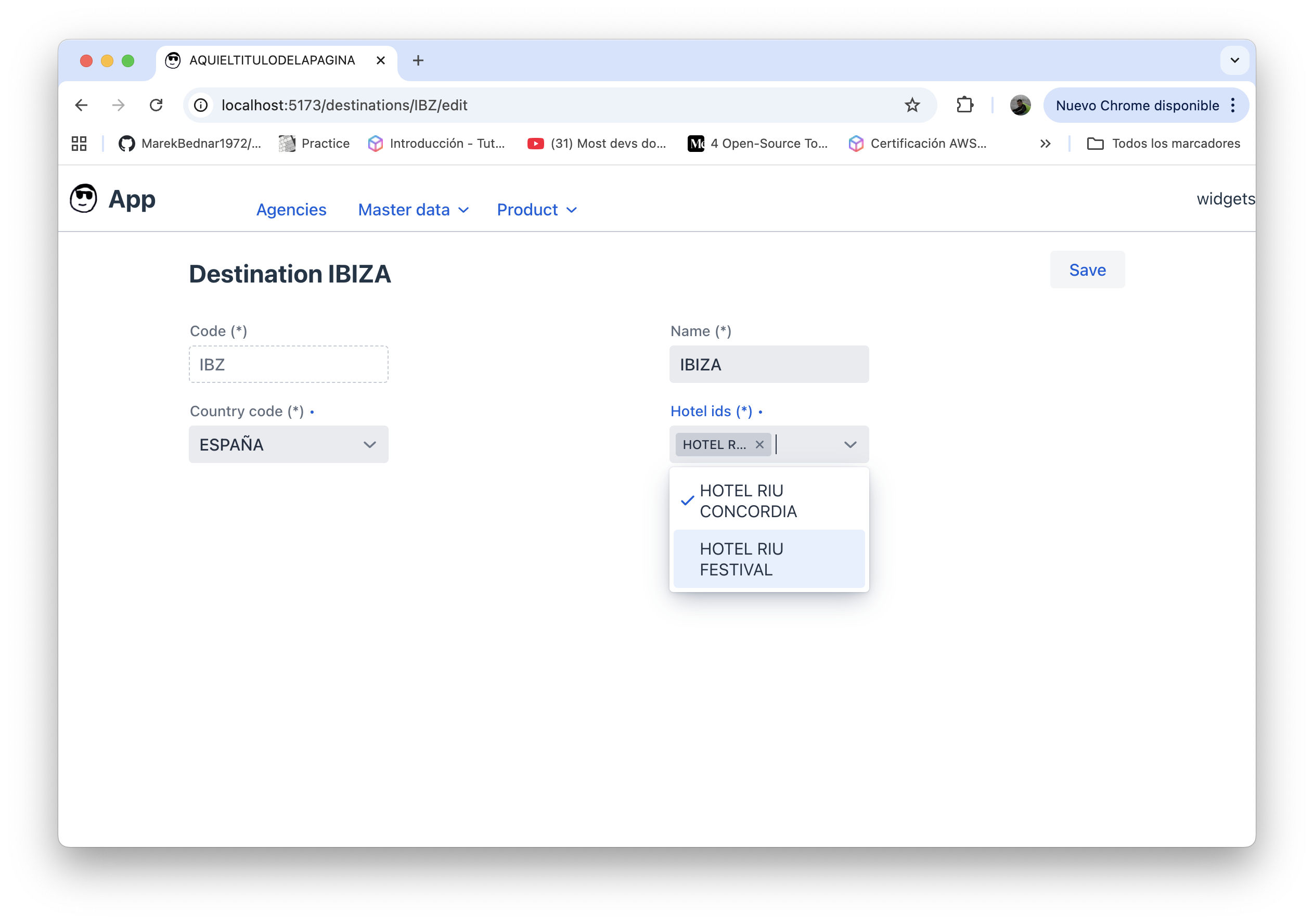
There are some fields that are indeed foreign keys to other entities. For those fields we want to provide a way to choose the referenced entity rather than providing the raw value. We can easily do it by providing a class implementing the ForeignKeyOptionsSupplier interface and annotating the foreign key field with @ForeignKey like below:
@Service
@RequiredArgsConstructor
public class CountryCodeOptionsSupplier
  implements ForeignKeyOptionsSupplier {

  final CountryRepository countryRepository;

  @Override
  public ListingData<Option> search(
    String searchText, Pageable pageable, HttpRequest httpRequest) {
    var found = countryRepository.findAll();
    return new ListingData<>(new Page<>(
      searchText,
      found.size(),
      0,
      found.size(),
      found.stream().map(country ->
        new Option(country.code(), country.name())).toList()));
  }
}

public record Destination(

  @NotEmpty
  @EditableOnlyWhenCreating
  String code,

  @NotEmpty
  String name,

  @ForeignKey(CountryCodeOptionsSupplier.class)
  @NotNull
  String countryCode,

  @NotEmpty
  @ForeignKey(HotelIdOptionsSupplier.class)
  List<String> hotelIds

) implements GenericEntity {

  // the GenericCrud class expects entities to have an id field
  @Override
  public String id() {
    return code;
  }

}
Owned entities
Sometimes it happens that one entity is the owner of another entity. It is the typical case of a 1:n relationship, or a composition in UML terms.
For those cases we usually want to show, from the view of the parent entity, a list of tabs containing one nested crud per each child entity list.
When this happens we just need to annotate the list of child entities, in the parent entities, with @Composition like below:
public record Hotel(

  @NotEmpty
  @EditableOnlyWhenCreating
  String id,

  @NotEmpty
  String name,

  String imageUrl,

  @ForeignKey(DestinationIdOptionsSupplier.class)
  String destinationId,

  // some other fields...

  @Composition(targetClass = Inventory.class, foreignKeyField = "hotelId")
  List<String> inventoryIds,

  @Composition(targetClass = StopSalesLine.class, foreignKeyField = "hotelId")
  List<String> stopSalesIds

  ) implements GenericEntity {
}
Objects
When an entity owns another entity (the typical 1:1 use case) the child entity will be displayed as a tab inside the parent’s view, and will have an “Edit” button to access the editor to modify its values.
This is what happens for the Tariff entity and the TariffGeneralInfo field:
public record Tariff(
  @NotEmpty
  @EditableOnlyWhenCreating
  String id,

  @NotEmpty
  String name,

  // more fields...

  TariffGeneralInfo generalInfo

  ) implements GenericEntity {
}
Lists of non-basic objects
When editing an entity any field containing a list of java non-basic objects is inferred as an editable table. In case there is any field which cannot be edited inline (when the field type is not one of String, int, double, boolean or LocalDate), the row editor (visible on row select or when clicking the “Add” button) is used instead.
Forms
For adding a form to your UI you just need to create a plain java class, annotate methods, Runnable or Callable fields with @Button, and add a menu option in your main app.
Form level validations
While you can set field level validations by using jakarta’s validation annotations (JSR-380), there are some validations which affect several fields. For those cases, you can declare form-level validations like below:
    @Override
    public List<Validation> validations() {
        return List.of(
                Validation.builder()
                        .condition("state.name && state.age > 17")
                        .fieldId("name,age")
                        .message("Name is required and age must be greater than 17")
                        .build(),
                Validation.builder()
                        .condition("state.name && state.age > 30")
                        .message("Name is required and age must be greater than 30")
                        .build()

        );
    }
Wizards
If you want to create a multi-form experience you can just create a class implementing the Wizard interface. Each field in your class will be inferred as a wizards step.
Overwrite the default behavior for any route
Each crud view in your app is linked to a route. E.g.:
- /hotels for the hotels crud list
- /hotels/1 for the hotel with id 1 read only view
- /hotels/1/edit for editing the hotel with id 1 main values
- /hotels/1/stop-sales for the stop-sales crud, visible in the stop-sales tab in the hotel with id 1 read only view
- /hotels/1/inventory for the inventory crud, visible in the inventory tab in the hotel with id 1 read only view
You can overwrite any of those views you just need by providing an alternate view (a plain java class) and annotate it with @Route supplying the route to override.
@Route("/hotels/.*/edit")
public class CustomHotelEditForm {

  // whatever content

}
A note on the paradigm shift
With this approach we move away from the traditional frontend-backend split. There is no separate frontend application consuming APIs.
Instead, the UI becomes just another primary adapter of the same application, defined in the infrastructure layer and evolving together with the domain.
This increases cohesion, reduces artificial APIs and enables true end-to-end ownership.
Reuse and modularity
Because UIs are defined in Java, we can leverage the full Java ecosystem: shared Maven modules, common validations, reusable UI patterns and shared domain concepts.
This makes it trivial to reuse behavior and UI definitions across multiple backoffices without duplicating logic or relying on fragile API contracts.
Observability
Mateu logs nothing by default, but the GeneralCrud logs every operation. Other than that, it’s up to you to log whatever.
Concurrency / versioning / optimistic locking
For this simple example we are not looking after what happens if two users try to save the same entity at the same time. Here the last one to save will just overwrite the other’s action. For this demo it’s good enough.
Usually you would take care of this in the repo’s implementation and throw a custom exception or do whatever makes sense to you.
Testing
Declarative UIs do not remove the need for testing. End-to-end UI testing can be applied as usual, while most business rules remain testable at the domain and application layers.
Just remember most of the costly e2e tst can be replaced by unit tests as you do not need to validate that the frontend component works. You just need to validate your UI logic, and that’s just plain java. You can do that using fast and simple JUnit tests.
Security and permissions
We can protect our application, if we have an IDP available, by just annotating our UI class with @KeycloakSecured.
We can later set the required authorization or any class, field or method by annotating it with @EyesOnly. This annotation allows us to declare who can do what according to their permissions.
There are other ways to do this, e.g. by using AOP and adding the permissions in a header at the api gateway instead of using the JWT scopes, but this is simple and also works.
Conclusion
At this point you have a fully functional backoffice, defined in Java, sharing the same language, validations and lifecycle as your domain.